

Why Forex Traders Use Hotkeys to Win on Speed
TL;DR:
- Hotkeys in forex trading are pre-programmed shortcuts that enable traders to execute actions in under 200 milliseconds, significantly reducing slippage and improving profitability.
- They help manage risk by allowing quick, reliable orders during high-stress market reversals and minimize hesitation that can lead to costly mistakes.
- Serious traders start with five core hotkeys, practice on demo, and use specialized hardware to refine execution speed and consistency.
Hotkeys in forex trading are pre-programmed keyboard shortcuts that execute complex trading actions instantly, cutting order entry time from seconds to milliseconds. Active traders use them because speed is not a luxury in forex. It is the difference between a clean fill and a costly slip. A survey of 1,500 active day traders in 2024 found that hotkey users earned 12% higher average profit per trade than traders relying on mouse-based order entry. That gap compounds fast across hundreds of monthly trades. This article explains why forex traders use hotkeys, how they reduce slippage, and how to adopt them without making expensive mistakes.
Why forex traders use hotkeys to gain an execution edge
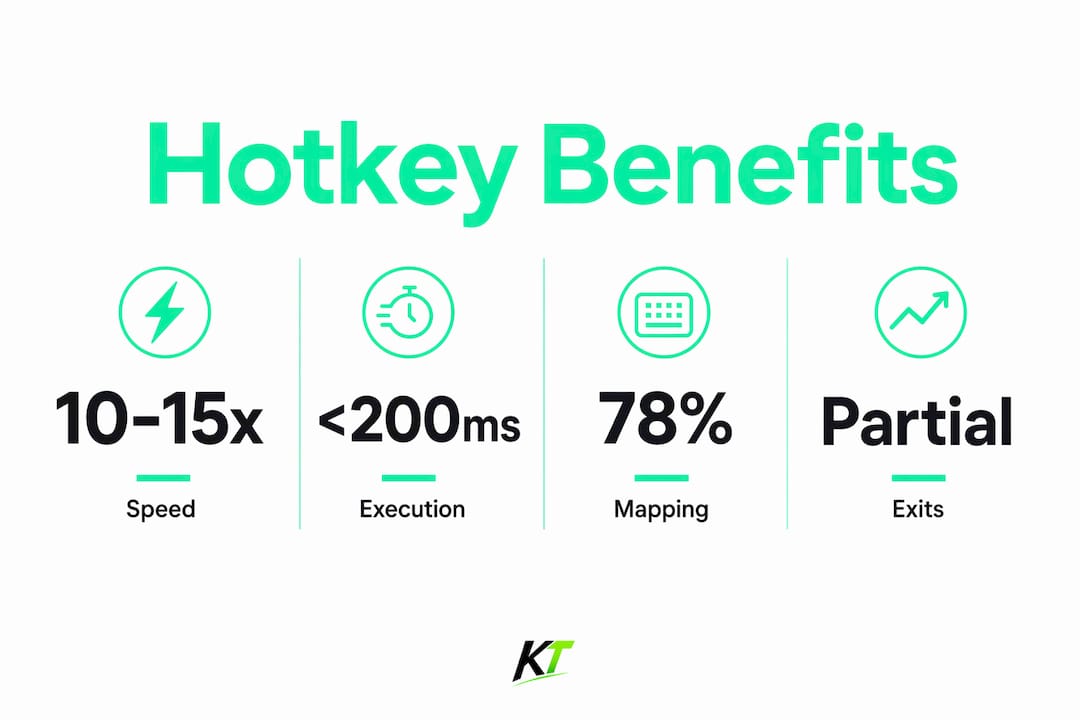
Hotkeys reduce order entry time from 2–3 seconds to under 200 milliseconds, making traders 10–15 times faster than those using a mouse. That speed difference matters most in scalping and momentum trading, where price moves several pips in the time it takes to click through a standard order panel. The core benefit is not just convenience. It is a direct financial advantage.
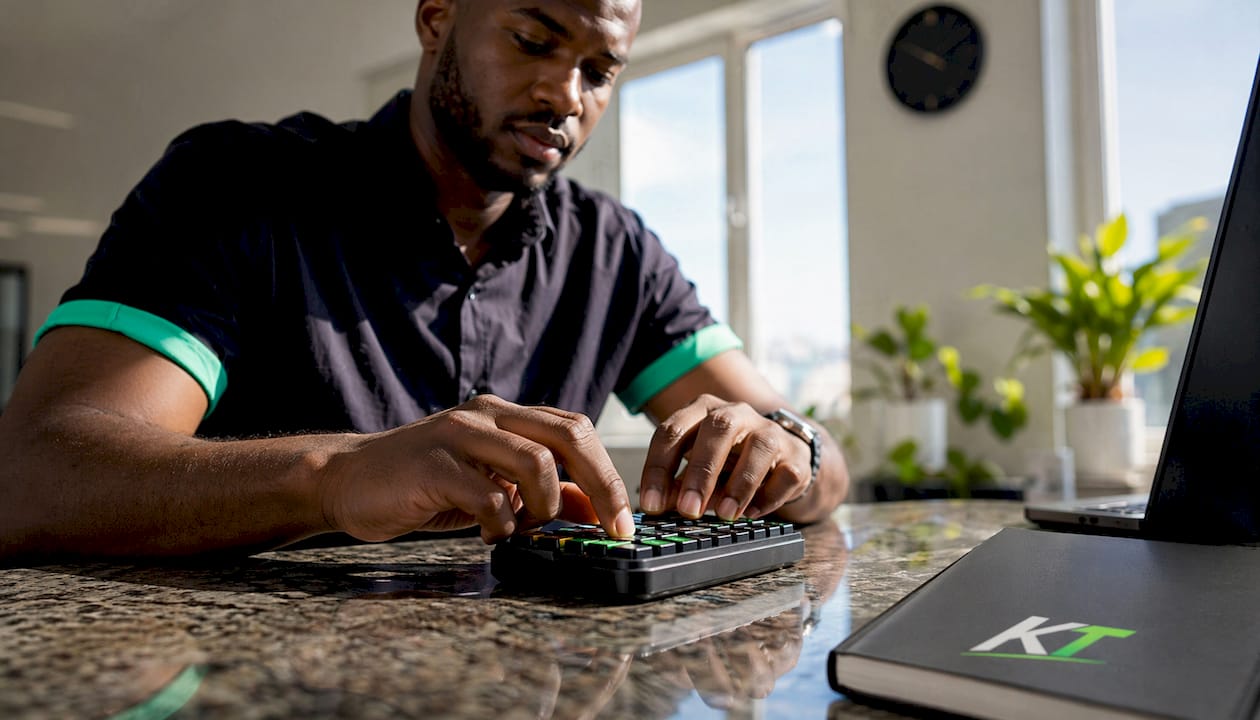
Slippage is the gap between the price you intended to trade and the price you actually got. Orders placed within 500 milliseconds of a signal outperformed those placed 2–3 seconds later by $0.08 per share on average. For a trader running 200 trades per month at 1,000 shares per trade, that gap adds up to $20,000 in annual savings. In forex, where pip values and lot sizes amplify every delay, the math is equally unforgiving.
Hotkeys also reduce the cognitive load on traders, freeing attention for reading price action rather than navigating order panels. When your hands know where the keys are, your eyes stay on the chart. That split-second shift in focus is where edge lives in fast markets.
Desktop vs. mobile execution speed
Desktop hotkeys execute in 150–200 milliseconds. Mobile trading platforms lack full hotkey functionality and typically process orders in 1–2 seconds. That speed gap makes mobile platforms unsuitable for scalping or any strategy that depends on tight entry timing. Serious forex traders treat desktop execution as non-negotiable.
Pro Tip: If you trade on MetaTrader 4 or 5, TradingView, or cTrader, map your most-used order actions to hotkeys before you go live. Even a basic five-key setup will outperform any mouse-based workflow in fast market conditions.
What are the essential hotkey functions for professional traders?
Professional forex traders build their setups around five core functions: buy market, sell market, flatten position, cancel all orders, and set stop-loss. These five actions cover 80% of order activity in active trading sessions. Mastering them first gives traders the most return for the least memorization effort.
Ergonomic placement matters as much as the functions themselves. Research shows that 78% of professional day traders map core hotkeys to the top two keyboard rows for instant access without moving the hand away from the home position. The logic is simple: the less your hand travels, the faster you execute. Keeping buy and sell on adjacent keys in the top row lets you act without looking down.
The flatten key deserves special attention. Assigning it to an isolated key such as End or F12 prevents accidental activation during high-stress moments when muscle memory can misfire. A misplaced flatten during a winning trade is an expensive lesson. Isolation removes that risk.
Here are the core hotkey functions every active forex trader should configure:
- Buy market: Enters a long position at the current ask price instantly
- Sell market: Enters a short position at the current bid price instantly
- Flatten: Closes all open positions immediately, regardless of direction
- Cancel all: Scraps every pending order to prevent unexpected fills during volatility
- Stop-loss set: Applies a pre-defined stop level to the active position without opening the order panel
Modifier keys such as Shift or Ctrl add a second layer of safety. Requiring a two-key combination to trigger a flatten or cancel-all command reduces the chance of a fat-finger exit wiping out a good trade. Professionals use modifiers for high-consequence actions and single keys for routine entries.
Careful hotkey customization aligned with your trading style matters here. Scalpers need instant buy and sell keys mapped within millimeters of each other. Swing traders prioritize stop-loss adjustment and partial close functions over raw entry speed. One setup does not fit every strategy.
How do hotkeys help traders manage risk under pressure?
Hotkeys function as risk management tools, not just speed tools. Muscle memory from consistent hotkey use ensures reliable execution during high-stress reversals, when mouse navigation slows and hesitation costs money. The body acts before the mind second-guesses itself. That is exactly what you want when a trade turns against you.
“Hotkeys create a psychological barrier that reduces emotional overtrading by automating exits with pre-programmed commands. The decision is made before the stress arrives.”
Insight from DayTradingToolkit and ATGL on the risk management role of hotkeys
Pre-programmed partial exits are one of the most underused risk management applications of hotkeys. A trader can assign a key to close 50% of a position at a target level, locking in profit while leaving the rest to run. This removes the emotional negotiation that causes traders to either exit too early or hold too long. The action is mechanical. The discipline is built into the key.
The “cancel all” function is equally critical. During volatile market conditions, news events, or sudden liquidity gaps, a single keystroke scraps all active orders before they fill at bad prices. Traders who rely on mouse navigation to cancel orders during a spike often find the market has already moved through their levels. The hotkey closes that window entirely.
Hotkeys also separate traders who react quickly from those who hesitate, by converting decisions into instant actions. Hesitation in trading is rarely about uncertainty. It is about the mechanical delay between decision and execution. Hotkeys eliminate that delay. For cTrader users managing prop firm risk rules, the cTrader risk management tools available through dedicated hardware take this a step further.
What are the practical steps for adopting hotkeys without costly mistakes?
Start with five hotkeys, not fifteen. Memorizing more than 10–15 hotkeys often offsets the speed gains because cognitive load increases faster than execution speed improves. The goal is automatic recall under pressure, not an impressive configuration file.
Follow this sequence when building your hotkey setup:
- Map the five core functions first. Buy, sell, flatten, cancel all, and stop-loss cover the vast majority of what you need in a live session.
- Practice on a demo account for 2–4 weeks. The transition to hotkeys requires consistent repetition before the actions become intuitive. Initial use will feel slower. That is normal.
- Enable confirmation prompts during the learning phase. Confirmation prompts balance speed and safety, preventing fat-finger errors from becoming real losses while you build familiarity.
- Review your configuration weekly. Hotkey setups that work in low-volatility sessions may need adjustment during earnings announcements or major economic releases.
- Add advanced functions only after the core set is automatic. Partial close, break-even set, and stop-loss modification keys are powerful additions once the foundation is solid.
One common pitfall is overtrading. Hotkeys make entry so fast that traders sometimes enter positions they would have skipped with a slower workflow. The ease of execution does not change the quality of the setup. Discipline around entry criteria must remain independent of execution speed.
Pro Tip: If you use TradingView, check the platform’s native hotkey limitations before building your setup. Understanding why TradingView lacks native hotkeys for certain functions will save you hours of troubleshooting and point you toward hardware-based solutions that fill the gap.
Advanced platforms support scripting hotkeys that automate complex trade sequences, integrating risk limits and conditional logic. NinjaTrader and SierraChart both support this level of customization. For traders on these platforms, scripted hotkeys can enforce position sizing rules automatically, removing one more decision from the live trading environment.
Key Takeaways
Hotkeys are the single most effective tool for reducing execution delay and improving trade discipline in active forex trading.
| Point | Details |
|---|---|
| Speed advantage is measurable | Hotkeys cut order entry from 2–3 seconds to under 200 milliseconds, a 10–15x improvement. |
| Slippage reduction adds up | Faster fills outperform delayed entries by $0.08 per share, translating to thousands annually. |
| Five core functions cover most needs | Buy, sell, flatten, cancel all, and stop-loss handle 80% of active trading order actions. |
| Muscle memory is risk management | Consistent hotkey practice ensures reliable exits during high-stress reversals without hesitation. |
| Start small and practice on demo | Build the core five hotkeys first and allow 2–4 weeks of demo practice before going live. |
The real reason hotkeys are non-negotiable for serious traders
At Key-trade, we have watched traders resist hotkeys for the same reason they resist any change to a working routine. The mouse feels familiar. The current setup feels safe. But familiarity is not the same as performance, and safe is not the same as fast.
The traders who commit to hotkeys early in their development build something that goes beyond speed. They build a physical vocabulary for the market. Their hands know what to do before their conscious mind finishes processing the signal. That is not a gadget advantage. That is a structural edge.
The resistance usually breaks after the first time a trader misses a clean entry because their cursor was in the wrong corner of the screen. Or the first time they watched a winning trade reverse while they clicked through a close dialog. Those moments are expensive teachers. Hotkeys are the cheaper lesson.
What I find most interesting is how hotkeys change a trader’s relationship with risk. When the flatten key is one keystroke away, the fear of being stuck in a bad trade decreases. That psychological shift makes traders more willing to take valid setups and less likely to hold losers out of inertia. The hardware changes the behavior. The behavior changes the results.
Mastering hotkeys is not about being a faster typist. It is about removing every unnecessary step between your decision and the market’s response. For prop traders and serious retail traders alike, that gap is where performance lives. The prop trader performance tools that matter most in 2026 all point back to the same principle: reduce friction, execute cleanly, repeat.
— Key-trade
How Key-trade’s trading keyboards take hotkeys further
Hotkeys work best when the hardware matches the workflow. Key-trade builds physical trading keypads designed specifically for active forex traders who need instant access to their most critical order functions.

The Key-trade keypad integrates with TradingView, MetaTrader 4 and 5, cTrader, NinjaTrader, SierraChart, Thinkorswim, and Tradovate. Each button is programmable, ergonomically placed, and built for the repetition that professional trading demands. Traders use it to execute market orders, set break-even stops, close partial positions, and trigger emergency exits without touching a keyboard or mouse. For traders who want the full benefit of hotkey execution without the configuration complexity, the Key-trade trading keyboard is the direct path from decision to execution.
FAQ
What are hotkeys in forex trading?
Hotkeys are pre-programmed keyboard shortcuts that execute trading actions instantly, such as placing a market order or closing a position. They reduce order entry time from 2–3 seconds to under 200 milliseconds.
How do hotkeys reduce slippage in forex trading?
Faster order placement means fills happen closer to the intended price. Orders placed within 500 milliseconds of a signal outperform those placed 2–3 seconds later by a measurable margin per share.
How many hotkeys should a forex trader use?
Professional traders focus on 10–15 hotkeys at most, with the core five functions covering 80% of order activity. Memorizing more than that often increases cognitive load and offsets the speed gains.
Are hotkeys safe for beginner forex traders?
Beginners should enable confirmation prompts and practice on a demo account for 2–4 weeks before using hotkeys in live trading. Assigning high-consequence keys like flatten to isolated positions on the keyboard also reduces costly errors.
Do hotkeys work the same on all trading platforms?
Desktop platforms execute hotkeys in 150–200 milliseconds, while mobile platforms typically take 1–2 seconds and lack full hotkey functionality. Platform-specific differences, such as TradingView’s native hotkey limitations, also affect what traders can configure without additional hardware.
Recommended
- Why TradingView Lacks Native Hotkeys for Traders – Key-Trade Trading Keyboards
- Why NinjaTrader Traders Need Fast Execution – Key-Trade Trading Keyboards
- Trading Input Devices for Active Traders: A Full Guide – Key-Trade Trading Keyboards
- cTrader Trade Execution Speed Tips That Actually Work – Key-Trade Trading Keyboards