

cTrader Trade Execution Speed Tips That Actually Work
TL;DR:
- Trade execution speed in cTrader measures the time from order submission to confirmation, influenced by network, platform, and broker choices. Using a colocated VPS and ECN broker can significantly reduce latency, while optimizing platform settings and regularly monitoring trade history improve execution quality. Combining these strategies ensures faster, more reliable trading fills, especially in fast markets.
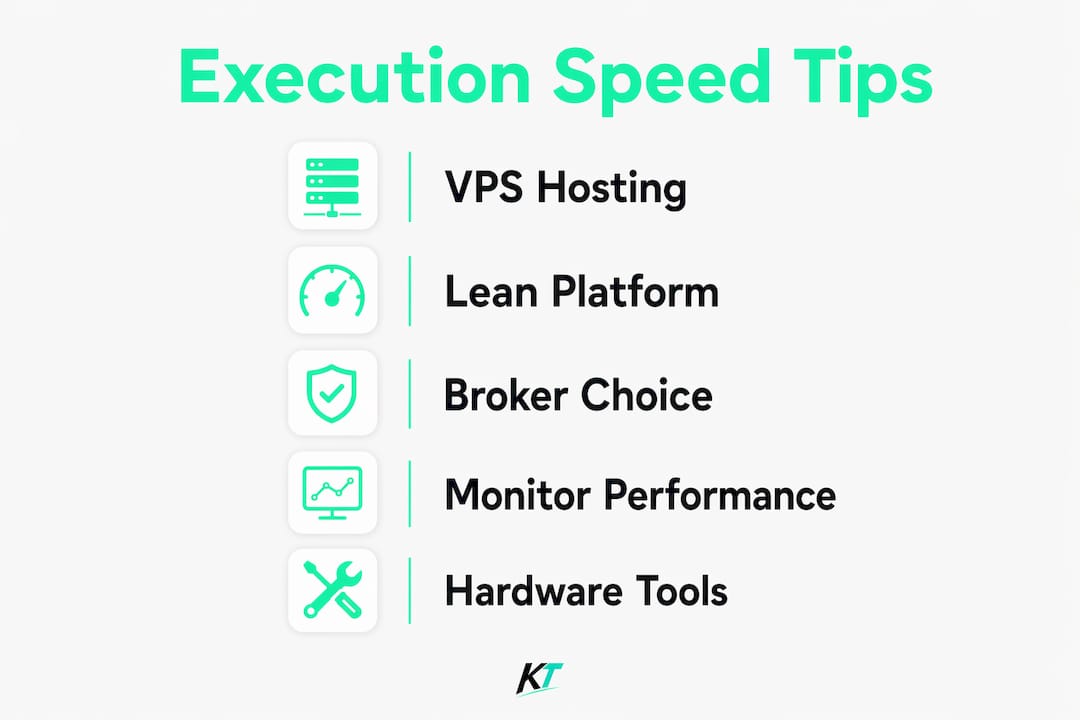
Trade execution speed is the time between placing an order and receiving a confirmed fill, measured in milliseconds. On cTrader, that gap directly determines whether you get the price you want or pay slippage you didn’t budget for. The platform’s architecture supports fast order routing, but your results depend on three factors you control: infrastructure, platform configuration, and broker selection. These cTrader trade execution speed tips address all three, with specific settings and measurable benchmarks so you can act today.
What determines cTrader trade execution speed?
Execution speed in trading is defined as the elapsed time from order submission to confirmed fill, typically measured in milliseconds. Low latency matters most to scalpers, algorithmic traders, and anyone running tight stop-loss levels where a 50ms delay can mean a worse fill by several pips. cTrader’s order routing is built for speed, but the platform cannot overcome a slow network connection or a broker with an internal dealing desk adding processing time.
Execution speed has become a core competitive requirement in fast markets, replacing the informational edge that once separated professional traders from retail participants. That shift means your infrastructure choices now carry the same weight as your strategy logic. The three main latency sources are network round-trip time, platform resource consumption, and broker order processing time. Fix all three, and you compound the gains.
How does VPS hosting reduce cTrader latency?
A colocated VPS placed in the same data center as your broker’s matching engine is the single most impactful upgrade available to active cTrader traders. Home broadband round-trip latency ranges from 30ms to 200ms depending on your location and ISP. A colocated VPS cuts that to 1–5ms. That difference is not academic. At 200ms, a fast market can move several pips before your order registers.
The major financial data centers used by cTrader brokers include Equinix LD4 in London, NY4 in New York, and FR2 in Frankfurt. Choosing a VPS provider with a presence in the same facility as your broker eliminates most of the network leg entirely. When evaluating VPS specs for cTrader, prioritize high single-core CPU clock speed over core count, NVMe SSD storage to avoid I/O bottlenecks, and at least 4GB of RAM to handle multiple charts without paging.
cTrader is more resource-intensive than many traders expect. A standard instance with several charts open consumes 600–800MB of RAM. Each complex cBot adds another 100–200MB on top. That means a 4GB VPS running three cBots and six charts is already near its ceiling during high-volatility sessions.
Pro Tip: Ask your broker which data center hosts their matching engine before purchasing a VPS. Most brokers will confirm the location on request, and matching that location is worth more than any other VPS specification.
| VPS specification | Recommended minimum |
|---|---|
| CPU type | High single-core clock speed (3.5GHz+) |
| Storage | NVMe SSD |
| RAM | 4GB minimum, 8GB for multiple cBots |
| Network | 1Gbps connection, low-jitter routing |
| Location | Same data center as broker server |
How should you configure cTrader for faster order execution?
Platform configuration is the most overlooked area in cTrader order execution best practices. Most traders install cTrader, open a dozen charts, and leave every default setting in place. That approach burns CPU and RAM on data you are not using, which creates latency spikes at exactly the moments you need speed most.
The following changes produce measurable improvements in platform responsiveness:
- Limit active chart count. Each open chart with tick data streams consumes CPU cycles continuously. Close any chart you are not actively trading.
- Reduce “Max Bars in Chart.” cTrader loads historical bars into memory on startup. Setting this to the minimum your strategy requires cuts load time and ongoing RAM use.
- Disable unused news feeds and alerts. These background processes poll external servers and add unpredictable latency spikes during news events.
- Audit cBot resource use. Complex cBots add 100–200MB of RAM per instance. Run only the bots active in your current session.
- Keep system resource headroom above 20%. A CPU or RAM at 95% capacity during a volatility spike will queue your order behind system processes.
The goal is a lean platform state before the trading session starts, not a reactive cleanup after slowdowns appear. Traders who manage cTrader trade management features proactively report fewer execution surprises during fast markets.
Pro Tip: Restart cTrader at the start of each trading session rather than leaving it running for days. Memory fragmentation builds up over time and degrades performance in ways that are hard to diagnose.
Does your broker choice affect cTrader execution speed?
Broker selection determines the ceiling on your execution quality, regardless of how well you configure everything else. ECN and STP brokers route orders directly to liquidity providers with no internal dealing desk. That removes one processing layer and eliminates the conflict of interest that causes requotes and artificial delays.
Market maker brokers internalize orders, meaning a human or algorithm on the other side of your trade decides whether to fill it at your requested price. That decision takes time. During fast markets, the delay compounds into slippage that erodes strategy performance over hundreds of trades.
When evaluating brokers for cTrader execution quality, focus on these factors:
- Requote rate. A low requote rate signals direct market access and fast fill logic.
- Average fill time. Request this data from your broker’s support team. Reputable ECN brokers publish it.
- Slippage distribution. Positive slippage (fills better than requested) should appear alongside negative slippage in a fair ECN model.
- Server location. Confirm the broker’s matching engine is in a major financial data center you can colocate with.
Combining a colocated VPS with an ECN broker and a lean platform configuration produces sub-5ms execution speeds. That combination is the standard for scalping and high-frequency strategies on cTrader. Traders interested in how execution speed affects different platform workflows can also read about fast execution for active traders to see how the same principles apply across platforms.
How do you monitor execution quality inside cTrader?
cTrader’s Trade History panel contains execution data that most traders never open. That data is the most reliable source of truth about your actual execution quality, far more reliable than broker marketing materials.
Use this process to run a quarterly execution review:
- Open Trade History. Filter by the past three months and export the data to a spreadsheet.
- Calculate average execution time. cTrader logs execution time in milliseconds for each order. Average this across your trade sample.
- Measure slippage per trade. Slippage is the difference in pips between your requested price and your filled price. Track both positive and negative slippage separately.
- Identify tail spikes. Monitoring p99 latency benchmarks reveals the worst 1% of your fills. Those outliers cause disproportionate damage to strategy performance.
- Compare periods. If average execution time increases quarter over quarter, investigate your VPS, broker infrastructure, or platform configuration before the degradation affects profitability.
Regular execution performance reviews identify degradation before it reaches a level that damages your account. Proactive monitoring also gives you documented evidence when raising execution concerns with your broker.
Key Takeaways
Fast, consistent execution on cTrader requires infrastructure, platform settings, and broker selection working together, not any single fix applied in isolation.
| Point | Details |
|---|---|
| VPS colocation cuts latency | Moving to a colocated VPS reduces round-trip time from 30–200ms to 1–5ms. |
| Platform configuration matters | Limiting charts, bars, and cBots keeps CPU and RAM headroom available during volatility. |
| ECN brokers remove processing delays | Direct market access eliminates dealing desk delays and reduces requotes. |
| Monitor tail latency, not just averages | The worst 1% of fills cause more damage than a consistently moderate average. |
| Quarterly reviews catch degradation early | Reviewing execution time and slippage data every quarter prevents silent performance erosion. |
What I’ve learned from watching traders chase the wrong metric
Most traders who ask about execution speed fixate on average latency. They want to know their average fill time and feel good when it is low. That instinct is wrong, and it costs money.
The metric that actually matters is tail latency. A connection that averages 3ms but spikes to 400ms during news events is worse than a connection that averages 8ms consistently. That 400ms spike hits exactly when the market moves fastest, turning a planned entry into a slippage event. Deterministic, stable latency is more valuable than a low average with unpredictable spikes.
The second mistake I see constantly is treating infrastructure and broker choice as separate decisions. They are not. A colocated VPS connected to a market maker broker still has a dealing desk in the middle of every fill. The VPS solves the network leg. The broker model determines what happens after the order arrives. Both need to be right.
The third thing worth saying plainly: platform configuration is free. Closing unused charts, trimming historical bar counts, and restarting cTrader before each session costs nothing and takes five minutes. Most traders skip it because it feels too simple to matter. It matters.
— Key-trade
The hardware side of cTrader execution
Software and network optimizations get you most of the way to fast execution. The final gap is manual order entry speed, the time between your decision to trade and the moment your fingers submit the order.


Key-trade builds professional trading keypads designed specifically for cTrader and other major platforms. Each button is programmable to execute orders, modify stop-losses, close partial positions, or set break-even levels with a single press. That removes the mouse-click sequence that adds 1–3 seconds to every manual trade entry. For scalpers and active traders who have already tightened their network and platform setup, a Key-trade keypad closes the last remaining gap between decision and execution. Worldwide shipping is available, and no technical setup knowledge is required.
FAQ
What is trade execution speed in cTrader?
Trade execution speed is the time in milliseconds between submitting an order and receiving a confirmed fill. On cTrader, it depends on network latency, broker processing time, and platform resource load.
How fast can cTrader execution get with a VPS?
A colocated VPS in the same data center as your broker’s server reduces round-trip latency to 1–5ms. Home broadband typically produces 30–200ms round-trip times depending on location.
Which broker type gives the fastest cTrader execution?
ECN and STP brokers provide the fastest execution because they route orders directly to liquidity providers without an internal dealing desk. Market maker brokers add a processing layer that introduces delays and requotes.
How do I check my execution quality in cTrader?
Open the Trade History panel inside cTrader and filter by execution time and slippage. Review this data quarterly to catch any sustained degradation before it affects your strategy performance.
Does cTrader platform configuration affect execution speed?
Yes. Running too many charts, loading excessive historical bars, and leaving unused cBots active consumes CPU and RAM that cTrader needs for fast order processing. Keeping resource usage below 80% prevents latency spikes during volatile sessions.
Recommended
- Why NinjaTrader Traders Need Fast Execution – Key-Trade Trading Keyboards
- cTrader Trade Management Features: Complete 2026 Guide – Key-Trade Trading Keyboards
- NinjaTrader Chart Trader: A Complete Guide for Traders – Key-Trade Trading Keyboards
- 5 Hardware Trading Alternatives 2026 – Key-Trade Trading Keyboards