

Why NinjaTrader Traders Need Fast Execution
TL;DR:
- Fast execution is critical for NinjaTrader traders because delays between signals and fills lead to slippage and losses. Various factors such as platform overhead, network latency, and market volatility contribute to delays, increasing the risk of undesirable fills. Optimizing order-routing mode, moving to colocated servers, and using appropriate order types can significantly reduce these delays and improve trading accuracy.
Fast execution is the single most direct factor separating profitable NinjaTrader trades from costly slippage events. Every millisecond between your signal and your fill is a window where price moves against you. NinjaTrader traders operating in futures markets face platform overhead, network latency, and order routing choices that compound into real dollar losses on every trade. Understanding why NinjaTrader traders need fast execution means understanding exactly where those delays come from and how to close the gap between intent and fill.
Why NinjaTrader traders need fast execution
Order execution speed in trading refers to the total time elapsed from when a trader submits an order to when the exchange confirms a fill. That interval includes network transit time, platform processing, broker routing, and exchange matching engine queue time. Retail traders typically face latency between 50ms and 300ms, while optimized setups can reach sub-1ms latency. Delays of 10–50ms can cause meaningful slippage in fast futures markets. That range is not a footnote. It is the difference between entering at your target price and chasing a fill two ticks away.

NinjaTrader adds its own layer to this equation. The platform adds approximately 2–4ms of overhead before order requests reach brokers. For a scalper reacting to a one-second price event, that overhead is not trivial. It compounds with network latency and exchange queue time to push total round-trip delays well above the threshold where slippage becomes routine.
Slippage is the gap between the price you expected and the price you actually received. It is not random. Slippage is a measurable effect that can be controlled through order type selection and execution method. Traders who treat it as an inevitable cost leave money on the table every session.
What causes latency and slippage in NinjaTrader executions?
Latency in NinjaTrader comes from two distinct sources: market data latency and order execution latency. Market data latency is the delay between a price change at the exchange and when NinjaTrader renders it on your chart. Order execution latency is the delay between clicking submit and the exchange receiving your order. Both matter, and they compound.
Several factors drive these delays:
- Platform overhead. NinjaTrader’s architecture uses C#, which introduces software processing latency compared to native C++ platforms. This matters most for scalping strategies where reaction windows are measured in seconds.
- UI render throttling. NinjaTrader 8 has a 250ms UI render throttle that drops visual updates under heavy load. Traders can unknowingly react to outdated prices, increasing slippage risk.
- Chart data lag during volatility. During high-volatility events, chart data can lag 200ms, causing traders to act on stale “ghost prices.” This lag can trigger stops at unfavorable prices, violating risk limits on prop accounts.
- Exchange matching engine queue. When many traders submit orders simultaneously, the exchange queue adds variable delay. This is especially pronounced at the New York open and during scheduled news releases.
- Managed order processing. NinjaTrader’s managed order routing performs internal state validation before sending orders to the broker. That validation loop adds latency that becomes a bottleneck during micro-liquidity events.
Each of these factors operates independently, but they stack. A trader with a 30ms home internet connection, using managed order routing, during a high-volatility event, can face total delays that push fills far from intended prices. Recognizing each source separately is the first step toward fixing them.
How do managed vs. unmanaged order routing affect NinjaTrader speed?
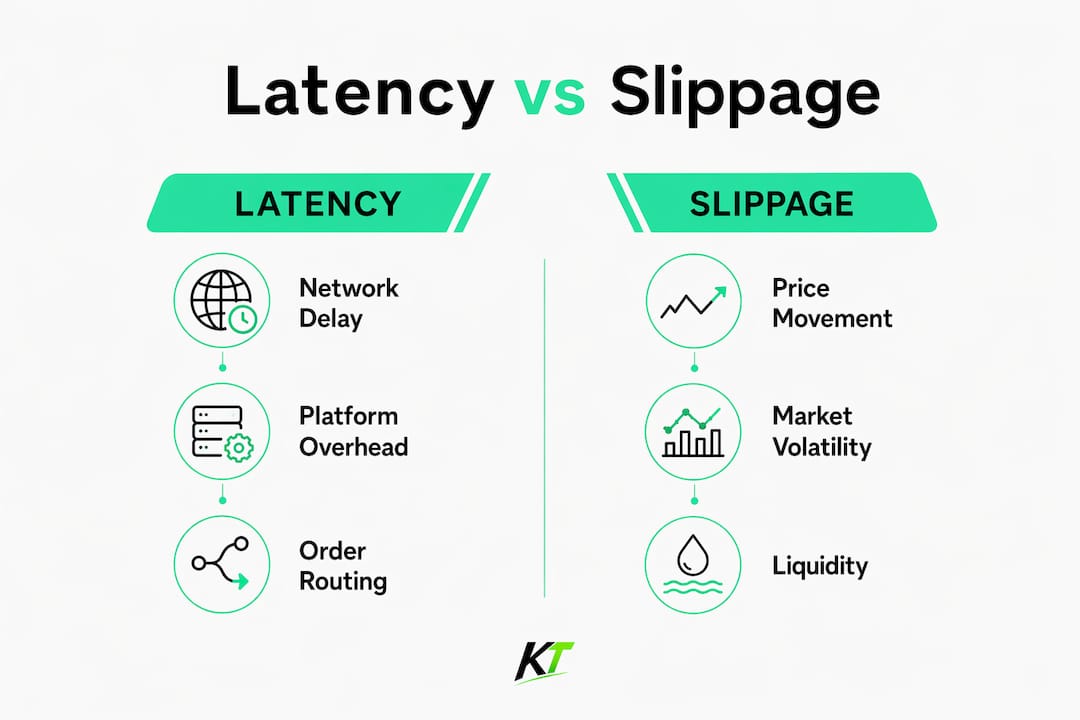
NinjaTrader offers two order routing modes: managed and unmanaged. The difference between them is one of the most underappreciated execution variables on the platform.
| Feature | Managed routing | Unmanaged routing |
|---|---|---|
| Internal validation | Yes, full state checks | No, bypasses platform checks |
| Execution speed | Slower under volatility | Faster, direct to broker gateway |
| Risk protection | Higher, built-in safeguards | Lower, user assumes responsibility |
| Best use case | Casual and swing traders | Scalpers and prop firm traders |
| Slippage exposure | Higher during fast markets | Lower when used correctly |
Managed order routing involves internal state checks that cause latency bottlenecks under high volatility. Unmanaged routing bypasses these checks, enabling faster order placement. The trade-off is real. Unmanaged routing removes the platform’s safety net, meaning duplicate orders or state errors become your responsibility to handle.
For scalpers and prop firm traders, unmanaged routing is the correct choice when speed is the priority. For traders running longer timeframe strategies or those new to NinjaTrader’s order management, managed routing provides protection that outweighs the latency cost.
Pro Tip: Before switching to unmanaged routing, test your strategy in NinjaTrader’s simulation mode. Confirm your order logic handles rejections and partial fills correctly before going live.
Understanding NinjaTrader order routing overhead and how partial order management interacts with execution speed gives you a clearer picture of where your fills are actually coming from.
What role does market volatility play in NinjaTrader slippage?
Market conditions are the most unpredictable source of slippage. Platform settings and network infrastructure are controllable. The New York open and Federal Reserve announcements are not.
During high-volatility events, two problems hit simultaneously. Price moves faster than your data feed updates, and liquidity thins out as market makers pull quotes. A market order submitted during a news spike does not fill at the displayed price. It sweeps through multiple price levels until the exchange finds enough liquidity to complete the order. Each level swept is additional slippage.
Stop-market orders are the top contributor to slippage in fast-moving markets. When a stop triggers, it converts to a market order and fills wherever liquidity exists. In a thin book, that can mean fills two to five ticks from the stop price.
Strategies for managing slippage under volatile conditions include:
- Avoid market orders during news events. Use limit orders or stop-limit orders instead. They cap your worst-case fill price.
- Trade higher-liquidity instruments. ES (S&P 500 futures) and NQ (Nasdaq futures) have deeper books than micro or niche contracts, reducing sweep slippage.
- Widen your stop-limit offset. Using stop-limit orders with a 3–5 tick offset caps worst-case slippage during fast market moves while preserving exit discipline.
- Monitor UI lag actively. If your chart freezes or price appears to jump, assume the displayed price is stale before acting.
The 250ms UI render throttle in NinjaTrader 8 is particularly dangerous during these windows. A trader watching a frozen chart and reacting to a price that is already 200ms old is not trading the market. They are trading a memory of it.
What practical steps can NinjaTrader traders take to speed up execution?
Execution speed improvement follows a clear hierarchy. Address the biggest latency sources first, then refine from there.
-
Move to a VPS or colocated server. Network proximity to exchange data centers reduces latency to under 5ms reliably. Home internet latency averages 15ms but can spike over 140ms during news events. A VPS hosted near the Chicago Mercantile Exchange (CME) data center cuts that variance dramatically.
-
Switch to unmanaged order routing. For scalpers and event-driven traders, bypassing NinjaTrader’s internal validation loop removes a consistent latency source. Test thoroughly in simulation before applying to live accounts.
-
Use stop-limit orders with defined offsets. Replace stop-market orders with stop-limit orders set 3–5 ticks beyond your stop price. This converts a worst-case market sweep into a controlled limit fill.
-
Decouple data processing from the GUI thread. Decoupling data processing from GUI threads improves signal refresh speed and reduces execution delays. Pro traders implement external processing bridges to bypass NinjaTrader GUI limitations entirely, handling logic outside the platform’s rendering cycle.
-
Run regular database optimization. NinjaTrader stores historical data in a local database. As that database grows, read times slow down and can affect real-time processing. NinjaTrader’s built-in database optimizer should run monthly for active traders.
Pro Tip: If you trade during the NY open, close all non-essential applications before the session starts. CPU and RAM contention on your local machine adds measurable latency to NinjaTrader’s processing cycle.
The trading infrastructure you build acts as a multiplier on your edge. A faster setup does not create a winning strategy. It does ensure that the strategy you have executes as intended.
Key Takeaways
Fast execution in NinjaTrader is a technical discipline that directly controls slippage, and every layer of delay from platform overhead to network routing compounds into measurable losses on each trade.
| Point | Details |
|---|---|
| Platform overhead is real | NinjaTrader adds 2–4ms of overhead before orders reach brokers, which matters for scalpers. |
| UI lag creates ghost prices | The 250ms render throttle can show stale prices during volatility, causing bad fills. |
| Routing mode changes speed | Unmanaged routing bypasses internal checks and reduces latency for prop and scalp traders. |
| Order type controls slippage | Stop-limit orders with 3–5 tick offsets cap worst-case fills better than stop-market orders. |
| VPS cuts network variance | Colocated servers reduce latency to under 5ms, versus home internet spikes above 140ms. |
Speed is a tool, not a strategy
Here is what I have seen traders get wrong repeatedly. They spend weeks chasing sub-millisecond execution improvements while trading a setup with a 45% win rate and a 1:1 reward-to-risk ratio. No amount of latency reduction fixes that math.
Infrastructure acts as a multiplier on trading edge, not a substitute for it. If your strategy has a genuine edge, faster execution preserves more of it. If your strategy does not have an edge, faster execution just means you lose money more efficiently.
The traders I respect most treat execution optimization as maintenance, not as the primary work. They fix the obvious problems: switch to a VPS, move to unmanaged routing for scalping, replace stop-market orders with stop-limit orders. Then they go back to refining their actual signal. The millisecond obsession is a trap. It feels like progress because it is measurable and technical. Real progress is harder to quantify.
My honest recommendation is to audit your slippage first. Pull your last 100 trades and calculate average slippage per trade. If it is under one tick on liquid instruments, your execution is not your problem. If it is consistently two or more ticks, then the steps in this article will move the needle. Start with the VPS. That single change eliminates the most variable and damaging source of latency for most retail traders.
— keytrades
Key-trade trading keyboards for NinjaTrader traders
Execution speed is not just a software problem. The physical interface between you and your platform adds its own delay.

Key-trade professional trading keyboards are built for traders who need to place, modify, and close orders without hunting through menus or clicking through software dialogs. Each programmable button maps directly to a trading action, from market entries to bracket order placement to partial closes. For NinjaTrader traders managing positions during fast-moving sessions, that reduction in physical reaction time compounds with the software optimizations covered here. Key-trade devices work across NinjaTrader, TradingView, MetaTrader 4 and 5, cTrader, and more. See the full Key-trade trading keyboard and how it fits your trading setup.
FAQ
What is NinjaTrader order execution?
NinjaTrader order execution is the process of submitting a trade order through the platform and receiving a confirmed fill from the exchange. It includes platform processing time, broker routing, and exchange matching engine response.
How do NinjaTrader stop orders work?
A stop order in NinjaTrader triggers when price reaches a specified level and then converts to a market order for immediate execution. Stop-limit orders add a limit price to cap the worst-case fill, reducing slippage in fast markets.
How do NinjaTrader bracket orders work?
Bracket orders in NinjaTrader automatically attach a profit target and a stop-loss order to every entry. When the entry fills, both exit orders activate simultaneously, managing risk without manual intervention.
Why does slippage happen more during news events?
During news releases, price moves faster than data feeds update and liquidity thins as market makers pull quotes. NinjaTrader’s 250ms UI render throttle compounds this by displaying stale prices, causing traders to act on outdated information.
Does a VPS actually reduce NinjaTrader slippage?
Yes. A VPS colocated near the CME data center reduces network latency to under 5ms, compared to home internet connections that can spike above 140ms during high-activity periods. Lower and more consistent latency directly reduces execution slippage.