

Why TradingView Users Need External Tools in 2026
TL;DR:
- TradingView is primarily a charting platform and cannot execute trades or perform realistic backtests independently. Traders need external tools like webhook relays, trade journals, and backtester extensions to complete their workflow. Using a layered approach improves trading consistency and reduces emotional and technical failures.
TradingView is the world’s most widely used charting platform, but it is not a complete trading system. Professional traders need external tools because TradingView’s architecture limits it to charting and alerting. It cannot execute orders natively, run realistic backtests with slippage and commissions, or maintain a structured trade journal. Professional traders typically use 5 to 8 integrated tools covering analysis, execution, and review. TradingView covers only the first layer. Understanding why tradingview users need external tools is the first step toward building a workflow that actually holds up in live markets.
Why TradingView users need external tools: the core gaps
TradingView excels at charting, Pine Script indicators, and alert generation. Those strengths are real and well-earned. The problem starts when traders expect the platform to do more than it was designed to do.
The most critical gap is order execution. TradingView generates alerts as text or JSON messages and has no native broker API connection. It cannot place, modify, or close orders on its own. Every broker integration on the platform is manual and click-based. Traders who want true automation must route alerts through a third-party webhook relay service, which typically costs around $60 per month.
The second gap is backtesting accuracy. TradingView’s native Strategy Tester assumes perfect execution. It does not model slippage, commissions, or partial fills. That gap matters enormously in practice. Live trading performance typically retains only 60–70% of backtested results due to slippage and emotional factors. A strategy that looks profitable in the native tester may fail in live markets because the tester never accounted for real-world costs.
The third gap is workflow continuity. TradingView has no built-in trade journal, no performance analytics dashboard, and no fundamental research feed. Traders who rely solely on the platform have no structured way to review their decisions, track their edge, or study the macro context behind their setups.
- No native order execution: TradingView cannot send orders to a broker without a webhook relay.
- Optimistic backtesting: The native tester ignores slippage (typically 1–3 ticks) and commissions (around 0.1%), making results unreliable.
- No trade journal: There is no built-in system for logging trades, tagging setups, or tracking performance over time.
- No fundamental data integration: Earnings calendars, economic releases, and analyst ratings require separate research tools.
- Limited multi-parameter optimization: The native tester cannot run grid searches across parameter combinations.
Pro Tip: Before adding any external tool, write down the specific workflow problem it solves. If you cannot name the problem, you do not need the tool yet.
How external extensions fill TradingView’s gaps
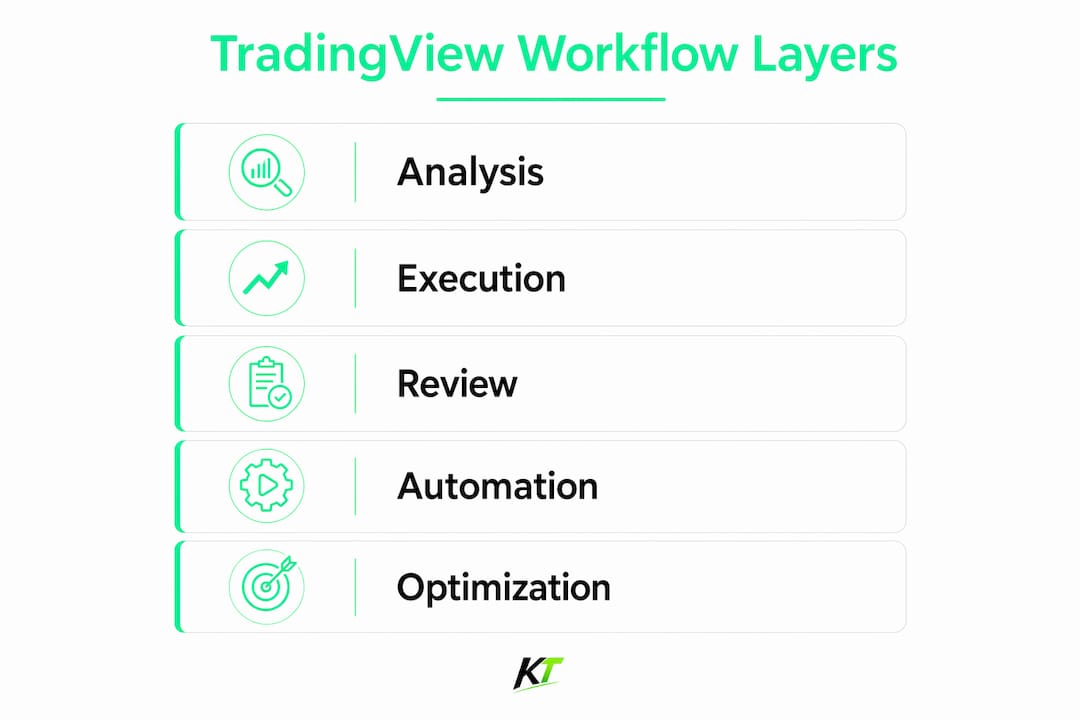
External tools do not replace TradingView. They complete it. Each tool targets a specific layer of the trading workflow that TradingView was never designed to handle.
Automation via webhook relays
Webhook relay services sit between TradingView’s alert system and your broker’s API. When TradingView fires an alert, the relay intercepts the JSON message and translates it into a live order. Automation via a relay service typically costs around $60 per month and supports platforms including MetaTrader 4, MetaTrader 5, and cTrader. Without a relay, every “automated” strategy still requires a manual click.
Strategy optimizer extensions
External backtester extensions address the accuracy problem directly. These extensions model slippage and commissions that the native tester ignores, and they support multi-parameter grid searches with CSV export. That means you can test a moving average crossover strategy across 50 parameter combinations and export the results to a spreadsheet, something the native tester cannot do.
Trade journals and performance trackers
Third-party trade journals such as TraderSync connect directly to broker accounts and automatically import trade data. They tag entries by setup type, calculate win rate by session or instrument, and flag emotional patterns in your execution. A structured trade journal turns raw trade history into a feedback loop that improves decision-making over time.
Here is a practical sequence for building out your tool stack:
- Start with alerts and a position calculator. Use TradingView alerts to flag setups. Add a position size calculator to standardize your risk per trade before you enter.
- Add a trade journal. Log every trade with setup type, entry reason, and outcome. Review weekly.
- Introduce a webhook relay. Once your manual strategy is proven, automate it through a cloud-hosted relay service.
- Add a strategy optimizer. Use an external backtester extension to stress-test parameter sensitivity before deploying changes live.
- Integrate fundamental research. Add an economic calendar and earnings tracker to avoid trading into high-impact news events blind.
| Tool category | What it solves | Example setup |
|---|---|---|
| Webhook relay | Automated order execution | Cloud-hosted relay connected to MetaTrader 5 |
| Strategy optimizer | Realistic backtesting with slippage and commissions | Extension with CSV export and grid search |
| Trade journal | Performance tracking and setup review | Third-party journal synced to broker account |
| Position calculator | Consistent risk sizing | Browser-based or integrated calculator |
| Economic calendar | Fundamental context | Standalone calendar with alert filters |
Pro Tip: Always use a cloud-hosted relay instead of a local machine setup. A local relay tied to your PC goes offline every time your computer restarts or loses internet. Cloud relays run 24/7 without your involvement.
What happens when traders skip external tools
Skipping external tools does not simplify your workflow. It creates hidden failure points that show up at the worst possible moment.
The most common failure is indicator overload. Traders who rely entirely on TradingView for analysis tend to keep adding indicators to compensate for the platform’s other gaps. Loading more than 10–12 indicators on a single chart slows rendering by 30–50%. In a fast-moving market, that lag is not just annoying. It costs you entries.
The second failure is misplaced automation confidence. Traders who set up a webhook relay on a local machine assume their automation is running. Relay failures can cause alerts to queue without executing, meaning your strategy fires signals that never reach your broker. You discover the problem only when you check your account and find no trades, or worse, a missed stop-loss.
Mixing your analysis screen with your execution screen is one of the most expensive habits in trading. When you see a live P&L next to your chart, every price move becomes emotional. Separating the two creates a physical pause between “I see a setup” and “I place the trade.” That pause is where discipline lives.
The third failure is workflow confusion. Traders who use TradingView for everything, including execution, journaling, and research, end up with a cluttered, unreliable system. Separating analysis from execution prevents impulsive trades and reduces the emotional noise that leads to revenge trading.
- Indicator overload: Cap your indicators at 6–8 per chart. More than that degrades performance and muddies your read.
- Local relay dependency: Never run automation from a machine that sleeps, restarts, or loses power.
- All-in-one thinking: TradingView is not a trading terminal. Treat it as your analysis layer only.
- Tool accumulation without process: Adding tools without a defined workflow creates complexity, not improvement.
How to build a professional TradingView workflow
A professional workflow has three distinct layers: analysis, execution, and review. Each layer uses the right tool for the job.
Layer 1: Analysis on TradingView. Use TradingView for charting, indicator setup, and alert configuration. Keep your chart clean. Set alerts on key levels and indicator signals. Your job at this layer is to identify setups, not to trade them.
Layer 2: Execution on a dedicated platform. Place orders through your broker’s native platform or a connected terminal. If you automate, route alerts through a cloud-hosted relay to your broker’s API. Keep your execution screen separate from your analysis screen. This separation is not just organizational. It is psychological.
Layer 3: Review through a trade journal. After every session, log your trades in a third-party journal. Tag each trade by setup type and session. Review your stats weekly. Look for patterns in your losses before you look for patterns in your wins.
- Week 1: Set up TradingView alerts for your primary setups. Add a position size calculator.
- Week 2: Open a trade journal account and import your last 30 trades manually to establish a baseline.
- Week 3: If you run automated strategies, migrate your local relay to a cloud-hosted service.
- Week 4: Run your active strategies through an external backtester extension with slippage and commission modeling. Compare results to your live performance.
Pro Tip: Use two monitors if possible. Put TradingView on one screen and your execution platform on the other. The physical separation reinforces the mental separation between analysis and action.
The TradingView trade management tools guide covers additional platform-specific options for traders building out this kind of layered system.
Key Takeaways
TradingView requires external tools for execution, realistic backtesting, and trade review because its architecture limits it to charting and alert generation.
| Point | Details |
|---|---|
| TradingView cannot execute orders | Automation requires a third-party webhook relay; native broker integration is manual only. |
| Native backtesting overstates results | Live performance retains only 60–70% of backtested results; external extensions add slippage and commission modeling. |
| Separate analysis from execution | Keeping TradingView as your analysis layer and using a dedicated terminal for execution reduces emotional trading. |
| Build your stack in sequence | Start with alerts and a journal, then add automation and optimization tools only after your manual process is proven. |
| Cloud relays outperform local setups | Local machine relays fail during outages; cloud-hosted relays run continuously and reduce missed trade risk. |
The uncomfortable truth about TradingView and tool stacks
Traders often resist adding external tools because it feels like admitting TradingView is not enough. That resistance is understandable. TradingView is genuinely excellent at what it does. The problem is that “what it does” stops well short of a complete trading operation.
After working with traders across prop firms and retail accounts, the pattern is consistent. Traders who treat TradingView as their entire system hit a ceiling. Their backtests look great. Their live results disappoint. They add more indicators. The charts get slower. The results get worse. The platform is not failing them. Their expectations are.
The traders who perform consistently use TradingView as one layer in a deliberate stack. They do not accumulate tools for the sake of it. Adding tools only to solve specific workflow problems is the discipline that separates a professional setup from a cluttered one. Every tool in their stack has a job. If it does not have a job, it is not in the stack.
The other thing worth saying plainly: hardware matters too. Keyboard shortcuts and programmable hotkeys reduce the time between decision and execution. That gap, even measured in seconds, affects outcomes in fast markets. A physical trading keypad is not glamorous. It is just faster and more reliable than reaching for a mouse.
Build the simplest stack that covers all three layers. Audit it every quarter. Remove what you are not using. That discipline is harder than it sounds, and it is worth more than any single tool.
— Key-trade
Key-trade trading keyboards for TradingView workflows
Active traders who have built out their analysis, execution, and review layers often find that the final bottleneck is physical input speed.

Key-trade’s professional trading keyboards are built specifically for traders using TradingView alongside external execution platforms. Programmable buttons handle order entry, partial closes, break-even moves, and stop-loss adjustments without touching a mouse. The keyboard works across TradingView, MetaTrader 4 and 5, cTrader, NinjaTrader, and more. No technical setup is required. For traders managing multiple tools and screens, a dedicated trading hotkey pad reduces execution time and keeps your hands on the controls when it counts most.
FAQ
Why can’t TradingView execute trades automatically?
TradingView is a charting and alerting platform, not a trading terminal. It outputs alerts as text or JSON messages and has no native broker API connection, so automated execution requires a third-party webhook relay service.
What is indicator overload on TradingView?
Indicator overload occurs when too many indicators are loaded on a single chart. Loading more than 10–12 indicators slows chart rendering by 30–50%, which hurts decision speed in fast-moving markets.
How do external backtester extensions improve on TradingView’s native tester?
External extensions model slippage and commissions that the native tester ignores. Because live performance typically retains only 60–70% of backtested results, realistic cost modeling is necessary before deploying any strategy live.
What is the safest way to automate TradingView alerts?
Utiliza un retransmisor de webhook alojado en la nube en lugar de una configuración de máquina local. Los retransmisores locales fallan durante cortes de energía o reinicios, lo que provoca que las alertas se pongan en cola sin ejecutarse. Los retransmisores alojados en la nube funcionan continuamente y reducen ese riesgo.
¿Cuántas herramientas suele utilizar un trader profesional?
Los traders profesionales suelen utilizar de 5 a 8 herramientas integradas que cubren análisis, ejecución y revisión. TradingView cubre la capa de análisis, pero las plataformas de ejecución, los diarios de trading y las extensiones de backtester llenan los vacíos restantes.
Recomendado
- Herramientas de gestión de operaciones de TradingView: Guía 2026 – Key-Trade Trading Keyboards
- Trading con gráficos en TradingView: Una guía completa de 2026 – Key-Trade Trading Keyboards
- Por qué TradingView carece de atajos de teclado nativos para traders – Key-Trade Trading Keyboards
- Herramientas de mejora del rendimiento para traders de prop trading para 2026 – Key-Trade Trading Keyboards