

Best Hardware Keypad Alternatives for Pro Traders
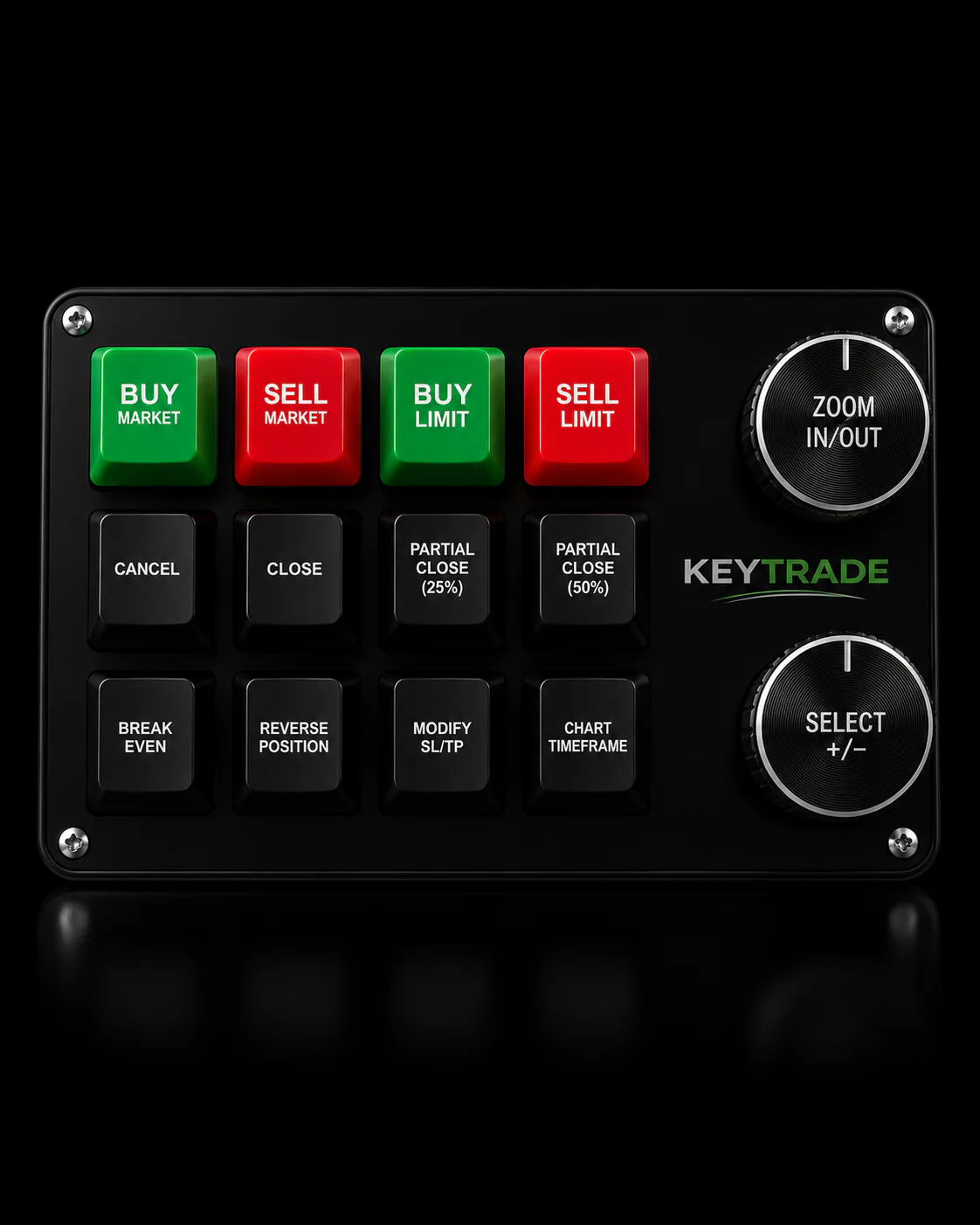
The top hardware alternative to algobuilderx.com for professional traders is the Key-trade Trading Keypad: purpose-built programmable keys, platform-tested firmware across TradingView, MT4/5, NinjaTrader, Thinkorswim, cTrader, SierraChart, and Tradovate, plus U.S. shipping and warranty. If you need a physical device that cuts order entry from seconds to milliseconds, this is where to start.
Other valid hardware approaches worth knowing:
- Full-size programmable mechanical keyboard — high macro capacity, tactile switches, numeric keypad included
- Macro pad / Stream-Deck style device — layered icon-driven macros, visual feedback per layer
- Specialized finance keypad (terminal-style) — pre-configured buy/sell columns, single-keystroke order entry (preferred for dedicated trading terminals; pro-grade multi-DisplayPort GPU pairing recommended for stable multi-monitor setups)
Workstation-class components and pro GPUs are preferred for stable multi-monitor trading setups compared to consumer gaming cards.
Key Takeaways
The most reliable hardware alternative for professional traders is a purpose-built trading keypad with platform-tested firmware, onboard macro memory, and explicit U.S. warranty support.
| Point | Details |
|---|---|
| Top pick for pro traders | Key-trade Trading Keypad offers platform-tested firmware across 7+ major platforms with U.S. shipping and warranty. |
| Latency benchmark | Hotkey hardware cuts order entry from 2–3 seconds to roughly 150–200 ms in practiced workflows. |
| Critical buying criteria | Confirm onboard memory, sub-5ms actuation, explicit platform compatibility, and a 30-day U.S. return window. |
| Paper-trade before live | Run a full paper-trade session after setup to validate all macros and latency before committing real capital. |
| Key-trade advantage | Purpose-built trading logic and prop-firm support separate Key-trade from repurposed gaming or generic macro hardware. |
Table of Contents
- The best algobuilderx.com alternatives compared side by side
- How to choose the right hardware keypad for professional trading
- How the recommendation is tested and verified
- What to expect from purchase to live trading
- What traders and prop firms say about hardware keypads
- Software ecosystems and customization depth
- Return policies and money-back guarantees
- What the hardware keypad roadmap looks like
- Why Key-trade built this keypad for professional traders
- The Key-trade keypad is available now with U.S. shipping and warranty
- Sources
- FAQ
The best algobuilderx.com alternatives compared side by side
Hotkey execution can cut order entry time significantly in practiced workflows. That gap is the whole argument for dedicated hardware.
Pros and cons by category:
Full-size mechanical keyboard: High macro count and familiar form factor. Requires third-party macro software; not purpose-built for trading, so platform integration is manual.
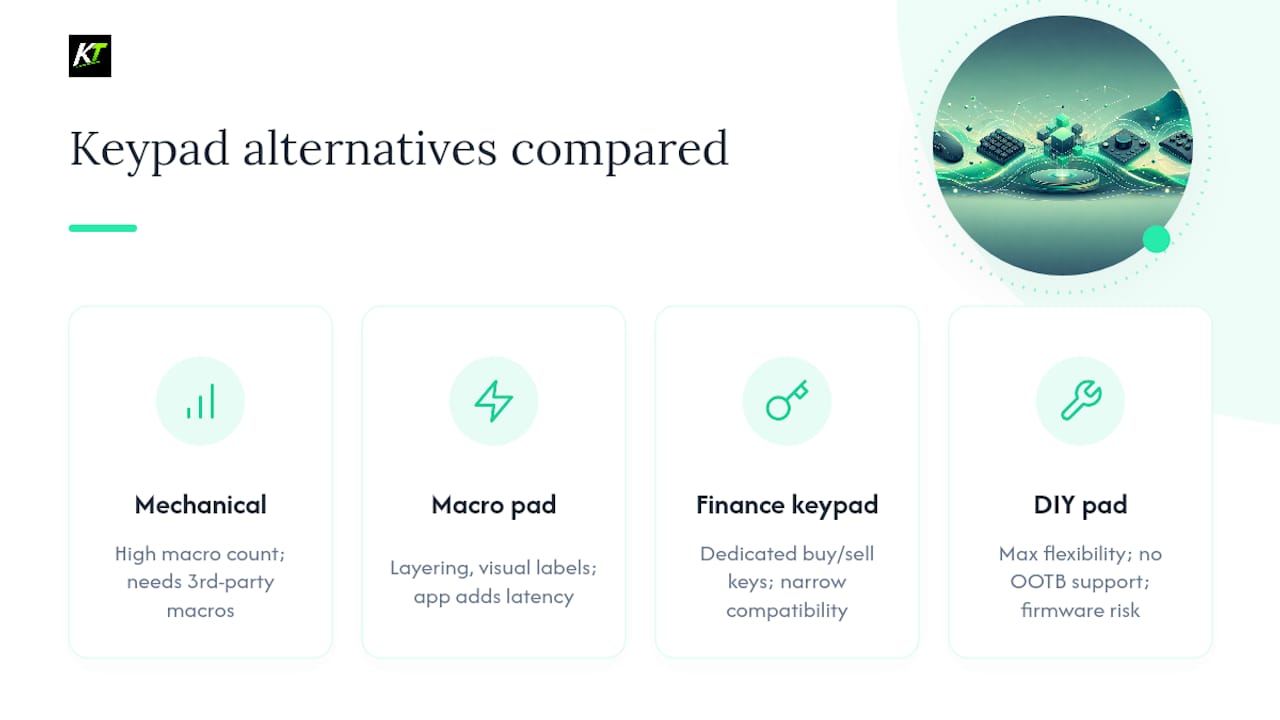
Macro pad / Stream-Deck style: Flexible layering and visual labels work well for complex workflows. The companion app adds a software layer between button press and platform action, which introduces measurable latency.
Specialized finance keypad: Finance-grade keypads map dedicated keys to buy/sell and navigation actions, enabling single-keystroke aggressive orders. The tradeoff is narrow platform compatibility outside their native terminal environment.
DIY macro pad: Maximum flexibility, zero out-of-box support. One firmware misconfiguration before a live session is a real risk.
How to choose the right hardware keypad for professional trading
Prioritize low-trigger latency and platform-certified compatibility above everything else. A keypad that works in demo but misfires on your broker’s live MT5 feed is worse than no keypad at all.
Selection criteria that actually matter:
- Latency and debounce: Look for sub-5ms actuation with hardware debounce, not software debounce. Software debounce adds variable delay.
- Programmable keys and onboard memory: Onboard memory means your macros survive a PC crash or driver restart. Cloud-only storage does not.
- Multi-layer macros: At minimum, two independent layers — one for entries, one for risk management (break-even, partial close, SL/TP).
- Build quality: Metal or reinforced plastic enclosure, rated switches (Cherry MX, Gateron, or equivalent), and a braided cable. Cheap switches fail under repeated rapid pressing.
- Native platform integration: Confirm the vendor explicitly lists your platform. “Works with Windows” is not the same as “tested with NinjaTrader Chart Trader.”
- Warranty and U.S. return shipping: A 30-day return window minimum. No U.S. contact means no recourse if the device arrives defective.
Questions to ask any vendor before buying:
- What is the measured input-to-order latency on your platform?
- Which platforms are explicitly tested and supported?
- How many independent macro layers does the device support?
- Is macro storage onboard or host-software only?
- What is the warranty length and U.S. return shipping policy?
- Do you offer enterprise or prop-firm account support?
Red flags to walk away from:
- No explicit platform compatibility list
- Cloud-only firmware with no offline fallback
- No U.S. support contact or phone number
- Latency claims with no test methodology cited
- Return window under 30 days
- Documentation limited to a single PDF with no update history
Professional trading workstations benefit from wired Ethernet, dual NVMe drives, and UPS protection — the keypad is only as reliable as the machine it connects to.
Price bands for pro traders:
- Entry ($70–$150): Repurposed mechanical keyboards or basic macro pads. Adequate for casual use; not built for prop-firm environments.
- Pro ($150–$400): Purpose-built trading keypads with platform integration and warranty. This is where Key-trade sits.
- Specialized terminal ($300–$800+): Finance terminal keypads with pre-labeled keys. High cost, narrow compatibility.
Pro Tip: On delivery, run a keystroke-timing test before going live. Open a text editor, press each macro key 20 times rapidly, and confirm zero missed or doubled inputs. Then run a paper-trade session for at least one full session before committing real capital.
How the recommendation is tested and verified
Trust signals matter more than marketing copy. The criteria used to evaluate hardware keypads here draw on patented trading keypad layouts that document buy/sell column separation and single-stroke order commands as established design standards, plus CME Group’s own EBS Keypad documentation showing how finance keypads support multiple key assignments and physical keycap swaps.
Platform compatibility is verified by checking each device against the named platforms’ own hotkey and external input documentation. Latency claims are evaluated against the 150–200ms benchmark from TradeAlgo’s hotkey guide. Build quality is assessed by switch type, enclosure material, and stated lifecycle ratings where available.
What to expect from purchase to live trading
For a purpose-built keypad like Key-trade, the realistic timeline is:
- Day 1: Device arrives, connect via USB, install any required driver or companion software (typically under 10 minutes).
- Day 1–2: Configure macro banks for your platform. Key-trade’s setup guides cover TradingView, MT4/5, NinjaTrader, and cTrader step by step.
- Day 2–3: Paper-trade session to confirm all macros fire correctly and latency feels right.
- Day 4+: Go live with real capital.
DIY builds and repurposed keyboards add days or weeks to that timeline depending on firmware complexity. Multi-monitor stability is worth confirming before live use — pro GPUs with multiple DisplayPort outputs handle extended desktop setups more reliably than consumer gaming cards.
What traders and prop firms say about hardware keypads
Community feedback across trading forums consistently points to the same friction points: missed keystrokes under stress, macros that reset after a platform update, and devices that work in demo but behave differently on live accounts. Prop firm traders in particular flag the importance of onboard memory — when a risk manager cuts your connection mid-session, a keypad that loses its macro config is a liability.
Traders who move from software-only hotkeys to dedicated hardware typically report that the physical confirmation of a button press reduces hesitation. That is not a small thing when you are managing a position in a fast market. The process-oriented approach to trading infrastructure reinforces this: consistent physical inputs reduce cognitive load and execution errors over time.
Feedback on generic macro pads tends to split between users who love the visual layer labels and users frustrated by the app-mediated latency. The Stream-Deck style devices work well for multi-step workflows but are not optimized for the sub-200ms execution window that active traders need.
Software ecosystems and customization depth
Key-trade ships with platform-specific software add-ons that handle lot size, SL/TP, partial closures, break-even, and order reversal — functions that generic macro software cannot replicate without significant scripting. The cTrader hardware integration guide and MetaTrader external tools guide walk through exactly how those add-ons connect to each platform.
Full-size mechanical keyboards rely on general-purpose macro software (AutoHotkey, QMK, vendor utilities). These tools are powerful but require manual scripting for trading-specific functions. A macro pad’s companion app offers visual configuration but no native trading logic.
DIY builds using QMK firmware offer the deepest customization. The cost is setup time and ongoing maintenance — every platform update potentially breaks a custom firmware layer. Traders pairing physical keypads with no-code algo platforms like QuantGenie can extend their execution setup with automated signals while keeping manual override on hardware.
Return policies and money-back guarantees
Key-trade offers a return policy with U.S. shipping support — confirm current terms on the product page before purchase. For generic mechanical keyboards purchased through major U.S. retailers (Amazon, B&H, Newegg), standard return windows are typically 30 days. Macro pad devices sold through their own brand stores vary; most offer 30-day returns for unopened units.
Specialized finance terminal keypads are the most restrictive. Enterprise hardware in this category often carries no consumer return window, and support is routed through institutional sales channels. DIY builds carry no return option by definition.
The practical rule: buy from a vendor with an explicit U.S. return address and a stated window. A vague “contact us” return process is a red flag.
What the hardware keypad roadmap looks like
Key-trade has publicly noted additional platform integrations are in development beyond the current lineup. The direction across the category is toward broader platform support, tighter firmware-to-platform handshakes, and more granular risk management controls accessible from hardware buttons.
For generic mechanical keyboards, the roadmap is driven by the broader peripheral market — QMK and Via firmware updates, new switch options, and wireless reliability improvements. Macro pad devices are moving toward higher-resolution displays per key and deeper API integrations with productivity and trading apps.
The gap that purpose-built trading keypads fill — native platform logic, trading-specific button functions, and prop-firm support — is not something the generic keyboard market is moving to close. That specialization is the durable advantage.
Why Key-trade built this keypad for professional traders
Speed and reliability were the non-negotiable design constraints. A keypad that executes a market order in a practiced workflow should not introduce latency beyond the platform’s own processing time. Key-trade’s firmware is tested against each supported platform’s input handling, not just against a generic HID benchmark.
The choice to include platform-specific software add-ons rather than relying on general macro utilities reflects a real tradeoff: general tools are flexible but require traders to rebuild trading logic from scratch. A prop firm running 10 traders on NinjaTrader does not want 10 different AutoHotkey scripts with 10 different failure modes.
Single-core CPU speed and high-performance I/O matter more than raw GPU power for trading workloads — the same principle applies to input hardware. A keypad optimized for trading throughput beats a gaming peripheral repurposed for trading, every time.
The Key-trade keypad is available now with U.S. shipping and warranty
The Key-trade Trading Keypad ships to the U.S. with warranty coverage and full setup documentation included. Order directly from the product page and you get platform-specific guides for TradingView, MT4/5, NinjaTrader, cTrader, Thinkorswim, SierraChart, and Tradovate — no third-party macro scripting required.

Practical buying facts: U.S. shipping available, warranty included with purchase, return policy stated on the product page, platform add-on software bundled with the device. Enterprise and prop-firm inquiries are supported. Visit the product page to check current availability, confirm shipping times to your location, and place your order.
Sources
- TraderPro Series — trading PC buyers guide (velocitymicro PDF)
- EBS Keypad — Keypad keys and shortcuts (CME Group)
- Patented keypad layouts for trading workstations (freepatentsonline)
FAQ
What makes a hardware keypad better than software hotkeys?
A dedicated hardware keypad registers input at the device level with consistent sub-5ms actuation, bypassing the variable latency of software macro layers. Combined with onboard memory, it stays functional even if the host application crashes.
Which platforms does the Key-trade Trading Keypad support?
Key-trade supports TradingView, MetaTrader 4 and 5, NinjaTrader, Thinkorswim, cTrader, SierraChart, and Tradovate, with additional platforms in development.
How long does setup take before going live?
Most traders complete driver installation and macro configuration in under two hours. Key-trade recommends a paper-trade session of at least one full trading session before using the keypad with real capital.
What should I look for in a return policy for trading hardware?
Look for a minimum 30-day return window with a stated U.S. return address. Avoid vendors whose return process is limited to a generic contact form with no published policy.
Can a hardware keypad work with prop firm accounts?
Yes. Key-trade is compatible with both live and prop trading accounts across its supported platforms. Confirm with your prop firm that external input devices are permitted under their risk rules before going live.
Recommended
- Best Lexx-Trade.com Alternatives for Pro Traders – Key-Trade Trading Keyboards
- Key Trading Keypads: Best Picks for Active Traders – Key-Trade Trading Keyboards
- Best magickeys.trade Alternatives for Forex Traders in 2026 – Key-Trade Trading Keyboards
- Top 6 tradekey.com Alternatives for 2026 – Key-Trade Trading Keyboards