

Why MetaTrader Traders Use External Tools in 2026
TL;DR:
- MetaTrader traders rely on external tools because the platform’s native interface cannot meet the rapid, multi-layered trade management needs of 2026.
- Connecting these tools requires enabling specific settings and using middleware or Python to enhance analysis, execution, and real-time monitoring.
Why professional MetaTrader traders rely on external tools
MetaTrader’s native interface was built for reliability, not for the kind of rapid, multi-layered trade management professional traders need in 2026. The platform executes orders efficiently and runs smoothly alongside other software, but its order windows involve multiple steps, its risk controls require manual input, and its charting tools have fewer advanced features compared to specialized analysis platforms. External tools fill those gaps directly.
The core reasons traders reach beyond MetaTrader’s built-in features:
- MetaTrader’s default order dialog involves several steps during volatile conditions, leading to increased mental effort and slower execution when fast responses are critical
- External panels provide one-click execution, live risk-to-reward calculations, and multi-level partial closes that the native interface simply does not offer.
- Professional traders treat MetaTrader as the execution engine and delegate charting, analysis, and signal management to specialized external software
- Integration with advanced dashboards and analytical platforms bridges functional gaps without replacing MetaTrader’s core strength: fast, broker-connected order handling
- Separating analysis from execution reduces cognitive load, letting traders focus on decisions rather than navigating an outdated UI
How external tools connect to MetaTrader for better execution
Connecting an external device to the MetaTrader platform relies on two main paths: Expert Advisors (EAs) running inside the terminal, and middleware bridges that sit between MetaTrader and third-party applications.
For EA-based connections, two settings inside MetaTrader are non-negotiable. You must enable “Allow DLL imports” and “Allow Algorithmic Trading” under Tools → Options → Expert Advisors. Without both active, external tools cannot send commands or retrieve account data programmatically.
Middleware solutions take a different approach. Rather than writing directly to MetaTrader’s notoriously complex native Manager API, a production-ready bridge exposes a clean REST API and WebSocket interface, cutting integration time from months of custom development to hours. Connected applications can open orders, modify positions, stream live quotes, and monitor account equity in real time.
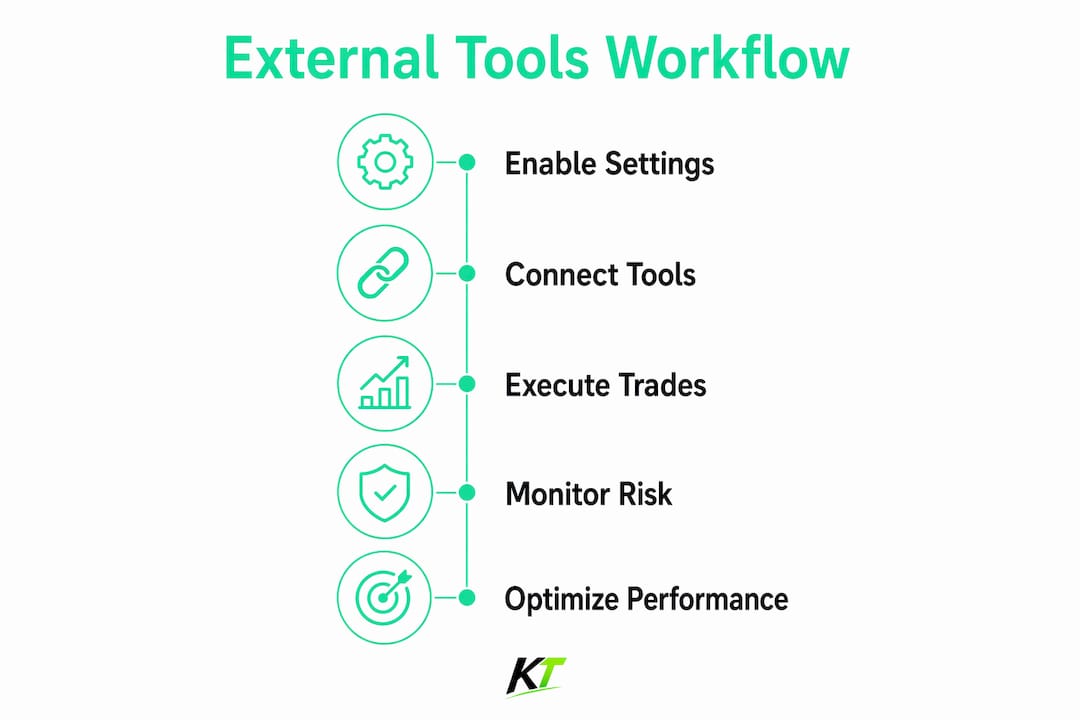
Python paired with MetaTrader 5 is another popular setup. MetaTrader handles execution and broker connectivity while Python runs the analytical logic, processes market data, and sends trade instructions back to the terminal. This split lets traders build complex strategy logic without being constrained by MQL5’s environment.
Why physical hardware keypads give MetaTrader traders an edge
Software panels improve the interface. Hardware keypads change the physical act of trading. A dedicated trading keypad puts programmable buttons under your fingers for one-click order entry, position scaling, stop-loss adjustment, and partial closes, all without touching a mouse or navigating MetaTrader’s order windows.
The Key-trade Professional Trading Keyboard is built specifically for this workflow. It works across MetaTrader 4 and 5, cTrader, NinjaTrader, TradingView, and other major platforms, giving traders a single physical control surface for multi-platform execution.

| Feature | Hardware keypad | Mouse and keyboard only |
|---|---|---|
| Execution speed | One button press | Multiple clicks through order dialog |
| Programmability | Custom buttons per action | Keyboard shortcuts only |
| Ergonomic design | Dedicated tactile controls | Shared general-purpose input |
| Multi-platform support | Single device, multiple platforms | Platform-specific shortcuts |
| Mental fatigue | Reduced through muscle memory | Higher during fast markets |
Pro Tip: Pair a hardware keypad with a software trade panel inside MetaTrader. The panel handles live risk calculations and visual SL/TP placement; the keypad fires the execution. That combination cuts both errors and reaction time.
Physical devices also reduce the cognitive overhead that accumulates during an active session. When your hands know exactly which button closes half a position or moves a stop to break-even, you stop thinking about the interface and start thinking about the trade.
How to build a MetaTrader setup that actually works
The most effective professional setup treats MetaTrader as a fixed execution layer and keeps everything else flexible. Keeping MetaTrader constant while evolving external analysis tools avoids the double learning curve of relearning both a platform and a strategy at the same time.
Practical setup tips for trading desk efficiency:
- Run charting and multi-timeframe analysis on a dedicated external platform; bring confirmed setups into MetaTrader for entry
- Use a middleware or EA bridge to sync data between your analytical tools and MetaTrader without manual re-entry
- Assign your most frequent actions (market entry, partial close, break-even) to hardware keypad buttons
- Keep MetaTrader’s order management rules consistent across sessions; change only the analytical layer when testing new approaches
- Test any new EA or external connection on a demo account before going live, particularly when DLL imports are enabled
What types of external tools do MetaTrader traders actually use?
The external tool ecosystem around MetaTrader covers several distinct categories. Charting platforms handle multi-timeframe analysis and drawing tools, feeding confirmed levels back to MetaTrader for execution. Signal providers, including Telegram-based copiers and automated EA signals, pipe trade instructions directly into the terminal. Risk management panels replace MetaTrader’s native order dialog with drag-and-drop SL/TP controls, live lot-size calculators, and automated break-even triggers. Trade copiers synchronize positions across multiple accounts or prop firm instances in real time. Finally, physical hardware keypads sit outside the software stack entirely, giving traders tactile control over execution actions that software alone cannot replicate.
What limitations in MetaTrader push traders toward external tools?
MetaTrader’s weaknesses are well-documented among active traders. The default chart settings are visually poor, and the order entry window requires too many steps for fast execution. Native risk calculation is manual. There is no built-in multi-level take-profit system. The charting tools lack the drawing flexibility that dedicated analysis platforms provide. MT4’s architecture, in particular, is a legacy interface with limited documentation that makes custom API development genuinely difficult. These friction points accumulate during live trading, and external tools exist precisely to remove them one by one.
How external tools improve real trading performance
A trade panel that shows live risk-to-reward ratios as you drag your stop loss changes how you size positions. A hardware keypad that fires a partial close in one button press means you capture profit at the first target without fumbling through menus. Python-driven analysis that feeds signals into MetaTrader removes the manual step of switching platforms and re-entering levels. Each tool addresses a specific bottleneck, and the combined effect on execution quality and decision clarity is meaningful for traders managing multiple positions across fast-moving markets.
Security considerations when using third-party tools with MetaTrader
Enabling DLL imports opens a real attack surface. Only install EAs and DLL files from sources you have verified, and never run unknown code on a live account before testing it on a demo. Middleware bridges that run on the provider’s servers rather than your local machine reduce local exposure but introduce dependency on that provider’s security practices. Review what data any external tool can access: a legitimate panel needs order management permissions, not your broker login credentials. For prop firm accounts specifically, confirm that any EA or external connection complies with the firm’s rules before activating it, since unauthorized automation can trigger account violations.
Key Takeaways
Professional MetaTrader traders use external tools because the platform’s execution speed and reliability are unmatched, but its native interface cannot handle the full workflow demands of active trading in 2026.
| Point | Details |
|---|---|
| MetaTrader’s core role | Use it as the execution engine; delegate analysis and charting to external platforms. |
| EA and middleware integration | Enable “Allow DLL imports” and “Allow Algorithmic Trading” to connect external tools programmatically. |
| Hardware keypads | Physical devices like the Key-trade keyboard reduce mental fatigue and cut execution to a single button press. |
| Stable execution layer | Keeping MetaTrader fixed while evolving external tools avoids relearning both platform and strategy simultaneously. |
| Key-trade hardware | The Key-trade Professional Trading Keyboard supports MetaTrader 4 and 5 alongside other major platforms from one device. |
The hardware edge serious MetaTrader traders are adding in 2026
Most traders have already solved the software side of their MetaTrader setup. The remaining bottleneck is physical: how fast your hands can act on a decision. Key-trade builds dedicated trading keypads for exactly this problem. Programmable buttons handle your most critical actions, from one-click market entries to partial closes and break-even moves, across MetaTrader 4 and 5, cTrader, NinjaTrader, TradingView, and more.

No technical setup is required. The device ships worldwide and works with both live and prop trading accounts out of the box. If you are running a serious MetaTrader workflow and still executing through a mouse and the default order window, the Key-trade trading keyboard is the most direct upgrade available. Check availability and order directly at key-trade.net.
FAQ
Why do MetaTrader traders use external tools instead of built-in features?
MetaTrader’s native interface lacks one-click execution panels, live risk calculators, and multi-level take-profit controls that active traders need. External tools add these capabilities without replacing MetaTrader’s reliable order execution.
How do you connect an external tool to MetaTrader?
Enable “Allow DLL imports” and “Allow Algorithmic Trading” in MetaTrader’s Expert Advisors settings, then attach the relevant EA or middleware bridge to your chart.
What is the benefit of a hardware keypad for MetaTrader trading?
A hardware keypad like the Key-trade Professional Trading Keyboard lets you execute trades, scale positions, and manage stops with a single button press, reducing both reaction time and mental fatigue during fast markets.
Is it safe to use third-party tools with MetaTrader?
Only install EAs and DLL files from verified sources, test on a demo account first, and confirm that any external connection complies with your broker’s or prop firm’s rules before going live.
Can Python be used as an external tool with MetaTrader 5?
Yes. Python integrates with MetaTrader 5 to handle analysis and strategy logic externally while MetaTrader manages order execution and broker connectivity.
Recommended
- Why TradingView Users Need External Tools in 2026 – Key-Trade Trading Keyboards
- External Trading Keypads for MT5: Speed and Accuracy – Key-Trade Trading Keyboards
- TradingView Trade Management Tools: 2026 Guide – Key-Trade Trading Keyboards
- Prop Trader Performance Improvement Tools for 2026 – Key-Trade Trading Keyboards