

External Trading Keypads for MT5: Speed and Accuracy
TL;DR:
- External trading keypads improve speed, accuracy, and mental focus for MT5 traders by providing programmable macros. They reduce execution time, eliminate common input errors, and lessen cognitive load during active trading sessions. Affordable and easy to set up, these devices support multi-platform use and enhance overall trading efficiency.
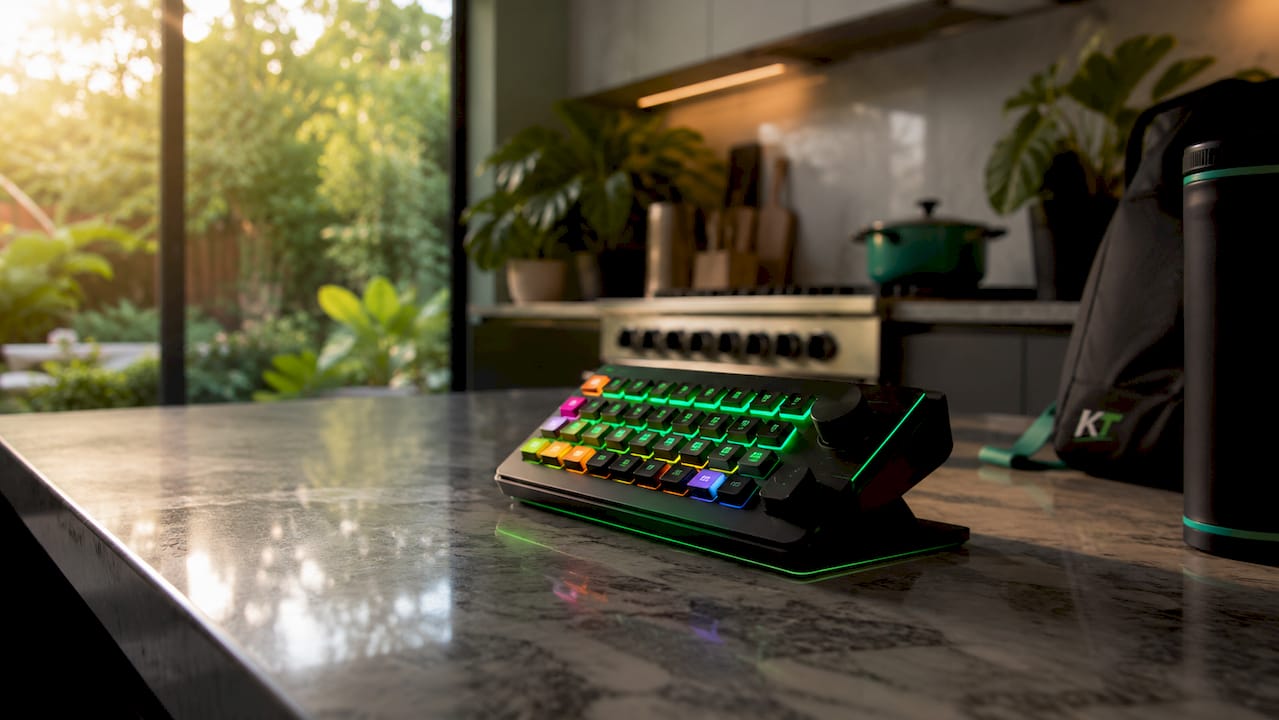
External trading keypads are dedicated hardware devices with programmable buttons that execute predefined commands on MetaTrader 5 with a single keystroke. The benefits of external trading keypads for MT5 are concrete and measurable: faster order entry, fewer execution errors, and less mental fatigue during active sessions. These devices, sometimes called macro pads or hotkey pads, sit alongside your keyboard and give you direct, physical control over trade actions that would otherwise require several mouse clicks. Key-trade builds hardware specifically for this purpose, with support for MT5, TradingView, cTrader, and other major platforms.
1. Benefits of external trading keypads for MT5: faster execution
Speed is the clearest advantage hardware keypads deliver. Macro-enabled trading hardware can cut manual operation time by 5–10 seconds per trade. That gap sounds small, but in a fast-moving forex or futures market, five seconds is the difference between filling at your target price and chasing a move that has already passed.
Scalpers and day traders feel this most acutely. A scalper might execute dozens of trades per session, and each second of delay compounds across the day. A keypad macro collapses the sequence of clicking “New Order,” entering lot size, selecting direction, and confirming into a single button press. The result is not just speed. It is consistent, repeatable speed on every trade.
Pro Tip: Map your most time-critical actions first. Start with market buy, market sell, and close position. Add stop-loss and take-profit adjustments only after those core macros feel automatic.
2. Reducing fat-finger errors with programmable hardware
Execution errors cost traders real money. Pre-programmed hardware keypads reduce fat-finger errors by automating precise order inputs under pressure. A fat-finger error happens when a trader types the wrong lot size, clicks the wrong direction, or confirms an order before reviewing it. Under stress, these mistakes happen more often than traders admit.
A dedicated keypad eliminates the manual typing step entirely. Your lot size, order type, and direction are baked into the macro. You press one button, and the correct order goes through every time. That consistency matters most during high-volatility events like news releases, where the pressure to act fast is highest and the cost of a mistake is greatest.
Reducing errors under pressure is not just about protecting capital. It removes the anxiety that comes from knowing a single misclick can wipe out a winning session. That psychological relief is a real, compounding advantage over time.
Key points where programmable keypads eliminate error risk:
- Lot size entry: Pre-set values remove manual typing entirely.
- Order direction: Dedicated buy and sell buttons prevent accidental reversals.
- Stop-loss placement: Macros apply consistent SL distances without recalculation.
- Partial closes: One button closes a defined percentage of the position.
- Break-even moves: A single keystroke shifts the stop to entry price.
3. Cutting cognitive load during active trading sessions
Mental fatigue is an underrated performance killer. Automating repeated trading steps via hardware reduces the mental attention tax during active trading sessions. Every time you navigate a menu or type a value, your brain spends attention on the mechanics of execution rather than on reading the market. Over a four-hour session, that overhead accumulates.
Hardware keypads shift execution to muscle memory. Once your macros are set, your hands know where the buttons are. Your eyes stay on the chart. Your mind stays on price action, not on the order entry form. This is the same principle that makes professional athletes train mechanics until they are automatic. Freeing conscious attention for decision-making is a genuine performance edge.
Prop traders especially benefit here. Firms running funded accounts expect disciplined, consistent execution. A trader who is mentally fresh in the final hour of a session makes better decisions than one who has spent that session fighting their platform’s interface.
4. Customization options that match your trading strategy
Customization is where hardware keypads move from useful to essential. Optimal customization balances plug-and-play convenience with flexible macro setup across multiple platforms including MT5 and TradingView. The right keypad lets you build a layout that mirrors your exact workflow rather than forcing you to adapt to a generic setup.
Common customization categories for MT5 traders include:
| Function category | Example macro action |
|---|---|
| Order entry | Market buy at preset lot size |
| Risk management | Move stop to break-even |
| Position sizing | Switch between 0.1, 0.5, and 1.0 lot presets |
| Trade management | Close 50% of open position |
| Chart control | Switch between timeframes |
Visual customization adds another layer of usability. Backlit keys and LCD keypads let you label each button clearly, so you never confuse a “close all” key with a “add to position” key. That visual clarity matters when you are acting fast and cannot afford to look twice.
Pro Tip: If you trade on both MT5 and TradingView, assign a separate color or label group to each platform’s macros. The visual separation prevents you from firing a TradingView command while MT5 has focus.
5. Best practices for integrating a keypad with MT5
Integration done wrong creates new problems. Testing keypad mappings in simulation environments before live trading is critical to avoid input focus errors in MT5. MT5 behaves differently depending on whether the chart window or the order panel has active focus. A macro that works perfectly in one context may do nothing, or worse, trigger the wrong action, in another.
Follow these practices to get reliable performance from day one:
- Test every macro in a demo account before going live. Run through your full workflow, including edge cases like adding to a position or closing during a drawdown.
- Map macros to keyboard shortcuts rather than direct application commands. Experienced traders assign hardware keys to universal shortcuts to avoid focus-related failures.
- Keep critical safety commands on separate keys. Separate keypad devices enable separation of safety commands from execution controls, reducing error probability during intense moments.
- Choose key switches that match your trading frequency. Tactile mechanical switches reduce fatigue and give clear physical feedback on each press. Mechanical keyboards with tactile switches improve ergonomics and accuracy for high-frequency trading.
- Size your keypad to your desk setup. A compact macro pad with 12–20 keys covers most workflows without crowding your workspace.
6. Ergonomic advantages of dedicated trading hardware
Ergonomics directly affects how long you can trade at full attention. A standard keyboard forces your hand to travel across a wide layout to reach function keys, number rows, and shortcuts. A dedicated keypad places every critical action within a small, reachable zone. That reduction in hand travel lowers physical strain over long sessions.
Tactile switches reduce fatigue and enhance reliable key presses, which matters when you are executing dozens of trades per day. The physical feedback of a good mechanical switch also confirms that the key registered, removing the uncertainty that comes with membrane keys or touchscreen buttons. You know the order went through because you felt the click.
Traders who run multi-monitor setups benefit from placing the keypad between their screens, keeping their hands centered and their eyes forward. This setup mirrors the ergonomic logic of professional trading floors, where physical controls are positioned for minimal movement and maximum response speed.
7. Affordability and accessibility of trading keypads in 2026
Professional-grade execution hardware is no longer reserved for institutional desks. Entry-level programmable macro pads are available for under $80, making efficient trading hardware accessible to a wide range of traders. That price point puts a meaningful workflow upgrade within reach of any serious retail trader.
The value calculation is straightforward. If a keypad prevents one fat-finger error per month, it pays for itself. If it shaves five seconds off every trade entry across a hundred trades per month, the compounded time savings translate directly into better fills and more mental bandwidth.
Affordable dedicated macro pads give active traders an entry point to professional workflow control at significantly lower cost than full macro keyboards. The trade-off between entry-level and advanced hardware comes down to two factors:
- Plug-and-play convenience: Entry-level pads work out of the box with minimal setup. They suit traders who want immediate gains without deep configuration.
- Custom macro flexibility: Advanced keypads support complex macro chains, multi-platform profiles, and visual key labeling. They suit traders who want a setup that evolves with their strategy.
For most MT5 traders, starting with an entry-level pad and upgrading as your macro suite grows is the most practical path. The full guide to trading input devices at Key-trade covers how to evaluate hardware at each tier.
Key takeaways
External trading keypads deliver measurable performance gains for MT5 traders by cutting execution time, eliminating input errors, and freeing mental attention for market analysis rather than platform mechanics.
| Point | Details |
|---|---|
| Speed advantage | Hardware macros cut execution time by 5–10 seconds per trade versus manual entry. |
| Error elimination | Pre-programmed inputs remove fat-finger risk on lot size, direction, and stop placement. |
| Cognitive relief | Automating repetitive commands keeps mental focus on price action, not platform navigation. |
| Customization depth | Traders can map risk management, partial closes, and break-even stops to single keys. |
| Accessible entry point | Entry-level macro pads start under $80, making professional workflow control affordable. |
What I’ve learned from watching traders use hardware keypads
Most traders underestimate how much the physical act of execution affects their decision-making. When I watch traders move from mouse-and-keyboard setups to dedicated keypads, the first thing they notice is not speed. It is calm. The frantic clicking stops. The second-guessing about whether the order went through stops. They settle into the session differently.
The second lesson is that macro design matters as much as the hardware itself. Traders who dump every possible function onto a keypad immediately create a new problem: too many options under pressure. The traders who get the most from their hardware start with three or four core macros and build from there. Simplicity at the start compounds into a powerful, intuitive setup over weeks.
The ergonomic angle is the most overlooked benefit. Traders who run four-hour sessions on a standard keyboard and mouse are accumulating physical fatigue that affects their judgment in the final hour. A well-placed keypad with tactile switches changes that. The cognitive load reduction is real, and so is the physical relief. Both show up in better decisions late in the session, which is often when the best setups appear.
— Key-trade
Key-trade keypads built for MT5 traders
Key-trade designs physical trading keypads specifically for active traders who need reliable, fast execution on MetaTrader 5 and other major platforms.

Every Key-trade keypad supports programmable macros for order entry, risk management, partial closes, and break-even stops. The hardware works with MT5, TradingView, cTrader, NinjaTrader, and more, with no technical knowledge required to get started. Worldwide shipping means traders in any market can access the same professional-grade hardware. If you are ready to cut execution time and trade with more control, the Key-trade trading keyboard is built for exactly that.
FAQ
What are the main benefits of external trading keypads for MT5?
External trading keypads reduce execution time by 5–10 seconds per trade, eliminate fat-finger errors through pre-programmed inputs, and lower cognitive load by automating repetitive commands so traders can focus on market analysis.
Can I use a hardware keypad with TradingView as well as MT5?
Yes. Hardware keypads that support multi-platform macro profiles work across MT5 and TradingView simultaneously. Assigning separate macro groups to each platform keeps commands organized and prevents cross-platform input errors.
How do I avoid focus issues when using a keypad with MT5?
Map your keypad macros to universal keyboard shortcuts rather than direct application commands. This approach ensures macros fire correctly regardless of which MT5 window currently has active focus.
Are trading keypads affordable for retail traders?
Entry-level programmable macro pads are available for under $80, putting professional execution hardware within reach of active retail traders without a significant upfront investment.
Do I need technical knowledge to set up a trading keypad?
Most entry-level macro pads are plug-and-play and require no coding or advanced configuration. Key-trade keypads are designed specifically for traders who want immediate performance gains without a technical setup process.