

Best magickeys.trade Alternatives for Forex Traders in 2026
TL;DR:
- The Key-Trade Professional Trading Keyboard offers a reliable hardware option for US traders needing fast, platform-agnostic order execution. It addresses limitations of discontinued or problematic Magic Keys and software panels by providing tangible, programmable buttons. This device supports multiple major trading platforms and ensures secure, quick trade management for professional traders.
The strongest hardware keypad alternatives to Magic Keys available to US traders right now are the Key-Trade Professional Trading Keyboard, software panels like the cTrader Risk Calculator Assistant from ClickAlgo, and numpad-mapped execution tools for MetaTrader 5. Magic Keys physical hardware is relatively costly, and its digital version comes with reported license activation problems that frustrate active traders. The MagicKey Manager for MT5 is no longer available for purchase, which pushes traders toward alternatives that are actually in stock and supported.
| Product | Platform Compatibility | Programmable Features | Speed Enhancements | Pricing Model | Ease of Use | Best For |
|---|---|---|---|---|---|---|
| Key-Trade Professional Trading Keyboard | MT4/5, cTrader, TradingView, NinjaTrader, SierraChart, Thinkorswim, Tradovate | Programmable buttons: break-even, SL/TP, partial close | Physical buttons eliminate click lag | Hardware purchase | No technical setup required | Professional forex and futures traders |
| cTrader Risk Calculator Assistant (ClickAlgo) | cTrader only | One-click order submission, risk panel | Lightning-speed trade management | Software license | Moderate | cTrader scalpers and risk-focused traders |
| Magic Key Trade Pro (MQL5) | MetaTrader 5 only | NumpadTrading, CandleWise throttle, auto SL/TP | Numpad-mapped execution | Software license | Moderate | MT5 scalpers |
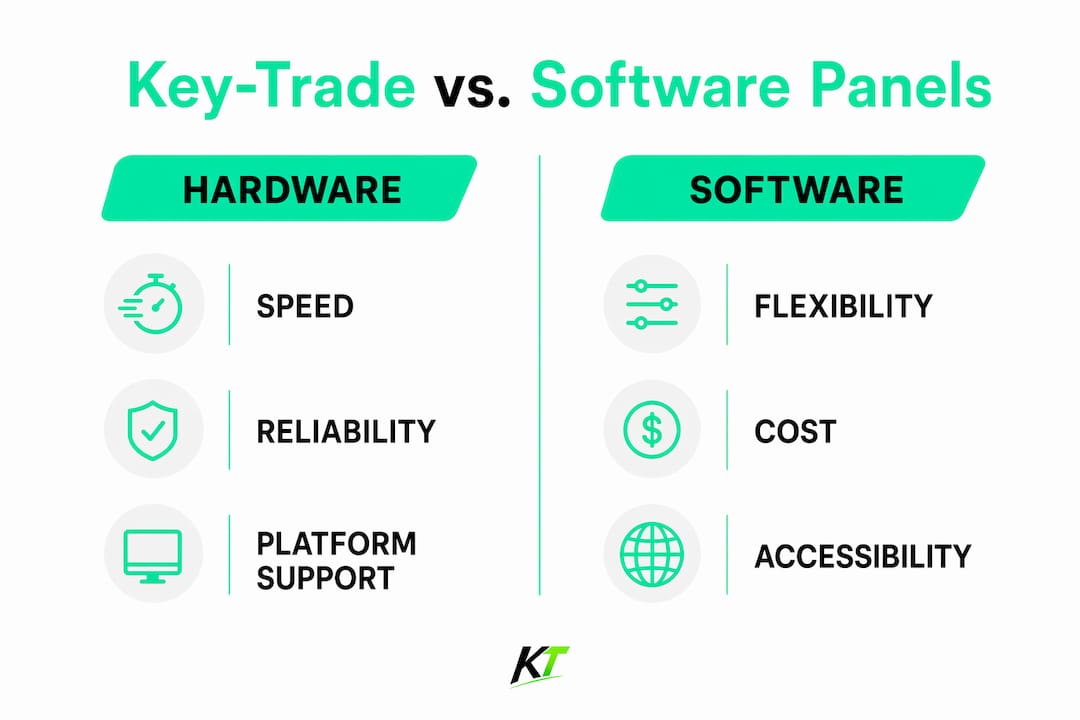
Key-Trade is the only hardware option in this comparison. The other two are software panels that run inside the platform, which means they depend on your screen real estate and mouse. Hardware gives you a physical button your hand finds without looking, and that tactile difference matters when you are managing a fast-moving futures position.
What features and platform compatibility should you look for in a trading keypad?
Physical keypads and software panels both aim at the same goal: getting your order in faster and with less room for error. How they get there differs considerably.
- Programmable button mapping: The best hardware keypads let you assign specific actions to each button, including break-even triggers, partial close percentages, and SL/TP adjustments. The Key-Trade keyboard ships with these mapped out of the box, so you are not writing scripts.
- Platform breadth: Magic Keys limits traders to MetaTrader and cTrader. Key-Trade covers six platforms including NinjaTrader, SierraChart, Thinkorswim, and Tradovate, which matters if you trade futures on NinjaTrader or run charts on TradingView.
- One-click execution: The cTrader Risk Calculator Assistant offers one-click order submission with automatic position sizing based on your risk settings. That is genuinely fast for cTrader-only traders, though it still requires a mouse click on screen.
- Auto volume calculation: The cTrader Ultimate Trade Manager calculates needed volume automatically from your risk input per trade, removing the mental math that slows execution.
- Ergonomics: Physical keypads reduce hand travel compared to a full keyboard or mouse. Third-party hardware keypads provide speed improvements over mouse-based trading by cutting the physical distance between your hand and the action.
- Prop trading compatibility: Key-Trade works on both live and prop trading accounts, which is relevant if you trade with a funded firm that restricts certain software tools.
Software panels like the ClickAlgo suite are solid for cTrader traders who want risk management without buying hardware. But they add another window to manage on screen, and they go offline if the platform crashes.
How do you choose the right trading hardware keypad?
Matching the keypad to your actual setup takes more than reading a spec sheet. Here is what separates a good purchase from a regretted one.
- Start with your platform. If you trade on NinjaTrader or Thinkorswim, a cTrader-only software panel is useless to you. Confirm compatibility before anything else.
- Count the buttons you actually need. Most traders use five to eight actions repeatedly: market entry, close all, break-even, partial close, and SL/TP adjustment. A keypad with 12+ programmable buttons gives you room to grow without forcing you to memorize a complex layout.
- Check pricing models. Professional-grade tools for MT5 and cTrader come with flat lifetime fees or tiered subscriptions. Hardware keypads typically use a one-time purchase model, which often costs less over two or three years than a recurring software subscription.
- Verify US shipping and warranty. Key-Trade ships worldwide, including to the US. Confirm delivery timelines and what the return or warranty policy covers before you commit.
- Ask about demos or trial periods. Some software panels offer trial versions. Hardware is harder to demo, so look for detailed video walkthroughs and community feedback from traders using the same platform you do.
- Assess customer support. A keypad that breaks during a volatile session with no support line is a liability. Check whether the vendor offers email, chat, or phone support and what their response time looks like.
Pro Tip: When granting any third-party tool access to your trade execution, evaluate the security risk carefully. Features like partial close and auto break-even require the tool to interact directly with your broker connection. Only use hardware or software from vendors you can verify.
For prop trader performance, the hardware route tends to be cleaner: no software conflicts, no platform-specific licensing headaches, and no dependency on a third-party server staying online.
Key-trade gives professional traders a hardware edge over software panels

The Key-Trade Professional Trading Keyboard is built for traders who need speed and control without adding software complexity to their setup. It connects directly to your trading environment and puts break-even, SL/TP modification, partial close, and rapid order entry on physical buttons you can hit without moving your eyes from the chart.

Compatibility covers MetaTrader 4 and 5, cTrader, NinjaTrader, SierraChart, Thinkorswim, and Tradovate, with more platforms in development. That range covers the majority of active US forex and futures traders, including those running prop firm accounts where software restrictions apply. Setup requires no technical knowledge, which means you are trading with it the same day it arrives.
For traders who have dealt with Magic Keys license activation failures or the discontinued MagicKey Manager for MT5, Key-trade offers a physical trading keyboard that does not depend on digital license servers or platform-specific software installs. Worldwide shipping is available, and the hardware model means your execution tool works regardless of what happens to a vendor’s software backend.

FAQ
What are the best hardware alternatives to Magic Keys for US traders?
The Key-Trade Professional Trading Keyboard is the primary hardware alternative, covering six major platforms including NinjaTrader and Thinkorswim. Software-based options include the cTrader Risk Calculator Assistant from ClickAlgo for cTrader traders.
Is MagicKey Manager still available for MetaTrader 5?
No. MagicKey Manager for MT5 is no longer available for purchase, though existing buyers can continue using it. Traders looking for a replacement need to source an active alternative.
How much does Magic Keys hardware cost compared to alternatives?
Magic Keys physical hardware is relatively costly, with some versions priced above $180, and the digital version at about $37.90 with reported license activation issues. Key-Trade uses a one-time hardware purchase model; pricing is listed on the product page.
Which trading platforms does the Key-Trade keyboard support?
Key-Trade supports MetaTrader 4 and 5, cTrader, NinjaTrader, SierraChart, Thinkorswim, and Tradovate, with additional platforms planned.
Are software panels a safe alternative to hardware keypads?
Software panels require granting third-party access to your trade execution, which carries security considerations. The FMA and other regulators warn traders to verify any tool that interacts directly with their broker connection before use.
Key Takeaways
The Key-Trade Professional Trading Keyboard is the strongest hardware alternative to Magic Keys for US traders who need broad platform coverage and physical execution speed without software dependencies.
| Point | Details |
|---|---|
| Magic Keys availability gaps | MagicKey Manager for MT5 is discontinued; the digital version has reported license activation failures. |
| Hardware vs. software panels | Physical keypads eliminate screen dependency and software conflicts that affect cTrader and MT5 panels. |
| Platform coverage matters | Key-Trade supports six platforms including NinjaTrader and Thinkorswim; Magic Keys covers only MT4/5 and cTrader. |
| Security due diligence | Any tool with trade execution access requires verification; regulators flag third-party access as a risk area. |
| Key-trade’s position | Key-Trade Professional Trading Keyboard suits professional forex and futures traders who want hardware speed across multiple platforms. |
Recommended
- Top 6 tradekey.com Alternatives for 2026 – Key-Trade Trading Keyboards
- Why Forex Traders Use Hotkeys to Win on Speed – Key-Trade Trading Keyboards
- External Trading Keypads for MT5: Speed and Accuracy – Key-Trade Trading Keyboards
- Trading Keyboard & Hotkey Pad for Traders – Key-Trade Trading Keyboards