

Why Futures Traders Use NinjaTrader: 2026 Guide
TL;DR:
- Futures traders prefer NinjaTrader for its advanced order flow analysis, fast execution, and disciplined risk management tools.
- The platform supports real-time market visualization, order book management, and simulation features to develop trading skills effectively.
NinjaTrader is the preferred software platform for futures traders who need professional-grade order flow analysis, direct exchange execution, and deep market visualization. Unlike general-purpose charting tools, NinjaTrader is built from the ground up for active futures trading. It supports everything from simulated practice on historical sessions to live scalping with millisecond-level order routing. Serious futures traders choose it because it provides the infrastructure for disciplined, rule-based trading rather than shortcuts or guesswork. This guide breaks down exactly why futures traders use NinjaTrader and how to get the most from it.
Why futures traders use NinjaTrader for market analysis and execution
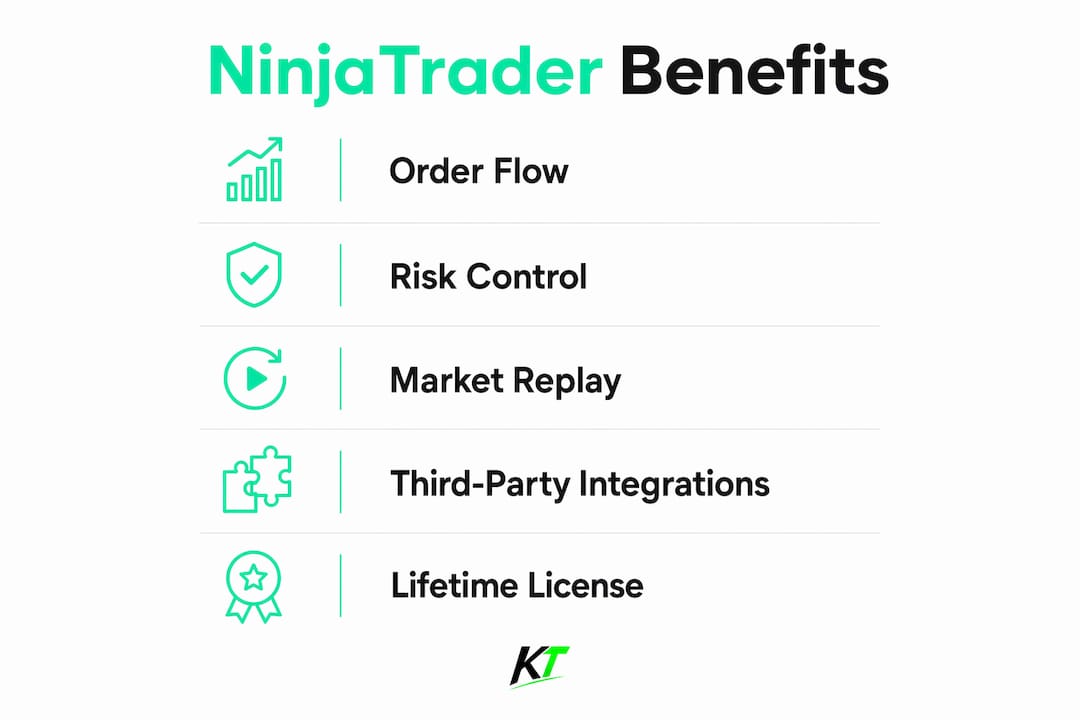
NinjaTrader gives futures traders tools that general charting platforms simply do not offer at the same depth. The platform’s volumetric footprint charts show exactly where buyers and sellers are aggressive at each price level. That information lets traders identify high-probability entries based on real order flow rather than lagging indicators.

The SuperDOM (Depth of Market) is the feature most active scalpers cite first. It displays the live order book and lets traders place, modify, and cancel orders with a single click. Direct exchange integration routes orders 50–100ms faster than third-party web platforms, which matters enormously when you are trading E-mini S&P 500 or crude oil futures in fast-moving sessions.
NinjaTrader’s Market Replay feature is equally important for skill development. Market Replay lets traders simulate live trading on historical sessions in real time, so you can rehearse a specific economic release or open-range breakout without risking capital. Most beginners skip this feature. That is a mistake. Traders who use Market Replay consistently build durable habits faster than those who jump straight to live accounts.
The platform also supports a wide library of third-party indicators and patented strategies built specifically for NinjaTrader’s C# scripting environment. That ecosystem means you can find or build rule-based systems that fit your exact trading style, from volume profile setups to automated bracket orders.
Pro Tip: Before spending money on third-party indicators, master NinjaTrader’s native volume delta and footprint charts. Most professional scalpers rely on these two tools more than any paid add-on.
The lifetime license costs $1,099, a one-time fee that covers all advanced features including order flow charts and the SuperDOM. Data feed subscriptions typically run $50–$100 or more per month depending on the exchanges you trade. For a full-time futures scalper, that pricing model is more economical than paying monthly platform fees that compound over years.
How do NinjaTrader’s risk management tools support disciplined trading?
Risk management is where most futures traders fail, and NinjaTrader’s workflow is built to enforce discipline rather than reward impulsive decisions.
The recommended approach for futures traders using NinjaTrader is clear: risk 0.25%–1% per trade of your account balance and limit yourself to 1–3 active trades per session. That structure helps traders pass funded account evaluations and stay in the game long enough to develop real skill. Blowing up an account in week two teaches nothing.
NinjaTrader supports this discipline through several built-in workflow tools:
- Session trade limits. You can set a maximum number of trades per day directly in the platform, which prevents revenge trading after a loss.
- Bracket orders. Every trade can launch with a predefined stop loss and profit target attached, removing the temptation to move stops during a trade.
- Simulation mode. The free SIM101 account lets you test any strategy or rule set without touching real capital.
- ATM strategies. Automated Trade Management strategies let you pre-program partial exits, trailing stops, and breakeven moves so execution becomes mechanical rather than emotional.
- Account performance reporting. Built-in reports show your win rate, average winner, average loser, and profit factor, giving you objective data to evaluate your edge.
Pro Tip: Set your ATM strategy before the trading session opens, not during it. Traders who configure stops and targets in real time under pressure almost always make worse decisions than those who set rules in advance.
Experts advise focusing on structure and volume indicators rather than stacking overlapping indicators on your charts. A clean chart with a volume profile and a footprint bar is more useful than a chart covered in moving averages, RSI, MACD, and Bollinger Bands. Indicator overload creates hesitation. Hesitation costs money in fast futures markets.
The SuperDOM plays a direct role in risk control too. When a trade moves against you, the SuperDOM lets you flatten your position or adjust your stop in one click. That speed matters when the market drops 10 ticks in two seconds.
What are the practical steps to set up NinjaTrader for futures trading?
Getting NinjaTrader running correctly from the start saves hours of troubleshooting later. The setup process is straightforward, but a few specific steps make a real difference.
- Download and install NinjaTrader from the official website. The base platform is free. You do not need to purchase the license to start practicing.
- Create a free SIM101 simulation account. Setup takes roughly 15 minutes, including connecting to simulated market data. You can start placing practice trades the same day.
- Activate the 14-day free live data trial. NinjaTrader offers a free trial of live CME futures data. This lets you practice on real-time prices before committing to a monthly data subscription.
- Disable OneDrive syncing for your NinjaTrader folder. This is a step most beginners miss. OneDrive sync conflicts cause data corruption and workspace failures. Move your NinjaTrader directory outside any synced folder or turn off sync for that path entirely.
- Build your workspace layout. Open a chart for your primary futures contract (ES, NQ, CL, or GC are common choices), add the SuperDOM, and save the workspace. Keep the layout simple: one chart, one DOM, and one performance window.
- Start with one contract. Trade a single micro or mini contract in simulation until you are consistently profitable over at least 20 sessions. Only then should you increase size.
The graduation from simulation to live trading should be gradual. Increase contract size by one unit at a time, and only after your rule-based metrics support it. NinjaTrader rewards systematic testing and disciplined use of its tools. Traders who rush to live accounts before building a tested process rarely last more than a few months.
How do futures traders integrate NinjaTrader with other tools?
NinjaTrader works best as part of a focused workflow rather than as a standalone solution for every task. Many professional futures traders use a hybrid setup that plays to each tool’s strengths.
Many futures traders use TradingView for broad technical analysis and NinjaTrader’s SuperDOM for order execution. TradingView excels at multi-timeframe chart layouts, drawing tools, and scanning across markets. NinjaTrader excels at order flow, DOM execution, and trade management. Using both together gives you a complete picture without forcing either tool to do something it does not do well.
Here is how a typical professional workflow looks:
- Pre-market analysis on TradingView. Mark key support and resistance levels, identify the daily trend, and note any high-impact economic events.
- Switch to NinjaTrader for the trading session. Load your footprint chart and SuperDOM. Wait for price to reach your pre-marked levels before considering an entry.
- Execute and manage trades through the SuperDOM. Use your pre-set ATM strategy for stops and targets. Do not override them.
- Review performance in NinjaTrader’s reporting tools. Log what worked and what did not after each session.
For traders who want to go further, TradingView chart trading guides offer detailed advice on keeping charts clean and professional. The same principle applies in NinjaTrader: fewer indicators, more focus on price and volume.
Physical execution speed also matters in this workflow. Futures scalpers who rely on keyboard shortcuts for order entry, position flattening, and stop adjustments gain a real edge over traders clicking through menus. Dedicated trading hardware, such as a programmable trading keypad, reduces the time between decision and execution to a fraction of a second.
Key Takeaways
NinjaTrader is the platform of choice for serious futures traders because it combines professional order flow tools, direct exchange execution, and disciplined risk management in one environment.
| Point | Details |
|---|---|
| Order flow tools | Volumetric footprint charts and SuperDOM give traders a real-time view of market aggression at each price level. |
| Execution speed | SuperDOM routes orders 50–100ms faster than web-based platforms, a critical edge for scalpers. |
| Risk management | Limiting risk to 0.25%–1% per trade and using ATM strategies enforces discipline and protects capital. |
| Setup best practices | Disable OneDrive syncing and start with a SIM101 account before trading live to avoid common pitfalls. |
| Hybrid workflow | Combining TradingView for analysis with NinjaTrader for execution plays to each tool’s core strength. |
NinjaTrader is infrastructure, not a shortcut
After working closely with active futures traders and the tools they rely on, one thing stands out clearly: NinjaTrader is not casual investor software. It is built for traders who are willing to put in the work. The platform gives you everything you need to trade professionally. It does not give you an edge on its own.
The traders I see succeed with NinjaTrader share a few habits. They use simulation aggressively before going live. They keep their charts clean. They define their risk before the session starts and do not change it mid-trade. They treat the platform as infrastructure, not as a signal generator.
The one-time license model is worth thinking about carefully. A trader who pays $1,099 once and uses the platform for three years pays far less than someone paying monthly fees on a general-purpose platform that lacks DOM and footprint tools. The math favors NinjaTrader for anyone trading futures full time.
My honest advice: spend your first 30 days entirely in simulation. Use Market Replay to replay the same session multiple times until your entries and exits feel mechanical. Only move to live trading when your process is so clear that boredom becomes your biggest problem. That is when you are ready.
— keytrades
Speed up your NinjaTrader workflow with Key-trade
Futures traders who use NinjaTrader for execution already know that speed matters. The gap between a decision and a filled order can cost ticks in fast markets.

Key-trade builds professional trading keyboards designed specifically for traders who need fast, reliable order entry without navigating menus. Programmable buttons handle order placement, partial closes, stop adjustments, and position flattening in a single press. The Key-trade trading keyboard works directly with NinjaTrader and ships worldwide. For futures scalpers who already have the right platform, the right hardware is the next logical step.
FAQ
What makes NinjaTrader different from general charting platforms?
NinjaTrader is built specifically for active futures trading, offering volumetric footprint charts, a direct-exchange SuperDOM, and ATM strategies that general charting tools do not provide at the same depth.
Is NinjaTrader good for beginners?
NinjaTrader offers a free SIM101 simulation account and a 14-day live data trial, making it accessible for beginners who want to practice futures trading without risking capital.
How much does NinjaTrader cost for futures traders?
The lifetime license is $1,099 as a one-time fee. Monthly data feed subscriptions for CME futures typically add $50–$100 or more per month depending on the exchanges you access.
What is the SuperDOM in NinjaTrader?
The SuperDOM is NinjaTrader’s Depth of Market tool that displays the live order book and enables one-click order entry, modification, and cancellation with direct exchange routing.
How do I avoid common NinjaTrader setup problems?
Disable OneDrive syncing for your NinjaTrader folder before installation. Sync conflicts are the most common cause of data corruption and workspace failures for new users.
Recommended
- NinjaTrader Partial Close Futures Guide for Traders – Key-Trade Trading Keyboards
- Why NinjaTrader Traders Need Fast Execution – Key-Trade Trading Keyboards
- TradingView Chart Trading: A Complete 2026 Guide – Key-Trade Trading Keyboards
- cTrader Trade Management Features: Complete 2026 Guide – Key-Trade Trading Keyboards