

NinjaTrader Breakeven Stop Workflow: Setup to Automation
Auto Breakeven in NinjaTrader’s Advanced Trade Management (ATM) automatically slides your Stop Loss to your average entry price once price moves a set number of ticks in your favor, defined by the Profit Trigger. Add a Plus value and the stop lands a few ticks past entry instead of dead on it, which matters once you account for commissions.
Here’s the fast version of the ninjatrader breakeven stop workflow:
- Open your ATM Stop Strategy template and select Auto Breakeven as the stop type.
- Set your Profit Trigger (ticks needed before the stop moves) and your Plus value (ticks of cushion past entry).
- Save it as a reusable template, or flip it on for a working order using the right-click menu or a BE hotkey.
Pro Tip: Set Plus to at least 1 tick. A Plus of zero means your “safe” trade can still turn into a wash after commissions eat the flat exit at entry.
Key Takeaways
Auto Breakeven works reliably only when the Profit Trigger is scaled to the instrument’s volatility and Plus covers real trading costs.
| Point | Details |
|---|---|
| Set Plus above zero | Use at least 1 tick of Plus to cover commissions, so breakeven doesn’t quietly become a small loss. |
| Scale triggers to volatility | Size Profit Trigger around 1.5 to 2 times ATR in ticks instead of a fixed number for every session. |
| Save reusable templates | Build separate ATM Stop Strategy templates per instrument rather than editing settings mid-trade. |
| Use hotkeys for speed | Map Breakeven ATM Strategy and Breakeven Position to keys you can hit without looking away from the chart. |
| Consider hardware execution | Key-trade’s programmable keypads assign NinjaTrader’s breakeven hotkeys to physical buttons for faster manual control. |
Table of Contents
- What Are the Auto Breakeven Parameters in NinjaTrader?
- How Do You Enable Auto Breakeven in an ATM Strategy?
- How Do You Toggle Breakeven on a Working Order?
- What Do Breakeven Templates Look Like in Practice?
- When Should You Actually Move a Stop to Breakeven?
- How Do You Code Breakeven Logic in NinjaScript?
- Why Hardware Execution Matters for Breakeven Speed
- What Actually Matters in a Breakeven Workflow
- Speed Up Your Breakeven Execution With a Programmable Keypad
- Sources
- FAQ
What Are the Auto Breakeven Parameters in NinjaTrader?
Two fields do all the work: Profit Trigger and Plus. Profit Trigger is the number of ticks the market has to move in your favor before NinjaTrader repositions your stop. Plus is the extra buffer, in ticks, added past your entry price once the trigger fires. Both are configured directly inside the ATM’s Stop Strategy settings, and both are measured strictly in ticks, not dollars or points.
The math is simple once you see it laid out:
- Long trade, entry at 5000.00, Profit Trigger 8 ticks: the trigger price is 5000.00 + 8 ticks. Once price touches that level, the stop resubmits.
- Plus set to 2 ticks: instead of landing exactly at 5000.00, the new stop sits at 5000.00 + 2 ticks, locking in a small gain instead of a scratch.
- Short trade mirrors this in reverse: entry minus Profit Trigger for the trigger price, entry minus Plus for the new stop.
Under the hood, NinjaTrader cancels the working Stop Market order and resubmits it at the new price, while your Profit Target stays a Limit order on the other side of the same One Cancels Other (OCO) group. Skip Plus entirely and a filled commission on futures like the ES can turn your “risk-free” trade slightly negative, a point Jigsaw Trading makes bluntly in its breakeven discussion.
How Do You Enable Auto Breakeven in an ATM Strategy?
Auto Breakeven lives inside the Stop Strategy tab of your ATM template, and building it into a reusable template beats configuring it trade by trade.
- Open the ATM Strategy editor (Control Center → Tools → ATM Strategies, or right from the order entry window).
- In the Stop Strategy section, choose Auto Breakeven, or Auto Breakeven + Auto Trail if you want the stop to keep chasing price after it reaches breakeven instead of freezing there.
- Enter your Profit Trigger and Plus values, set your Profit Target (or leave it at zero if you’re running a discretionary runner with no fixed target), and save the template under a clear name like “ES Scalp BE8.”
ATM Strategies submit both the stop and target as one bracket, so editing the Stop Strategy doesn’t touch your target order.
Pro Tip: Build separate templates for separate instruments. An 8-tick trigger that works on the ES will barely register on a thinner product like crude oil futures, where a single tick swing means something different.
How Do You Toggle Breakeven on a Working Order?
Sometimes you don’t want Auto Breakeven baked into the template, you want to decide in the moment. NinjaTrader supports that too, both through menus and hotkeys.
- Right-click a working Stop Loss order on the chart or in the SuperDOM, then choose Auto Breakeven or Auto Breakeven Properties to enable it and adjust Profit Trigger and Plus without touching the rest of your bracket.
- The BE button on the SuperDOM behaves differently depending on click: a left click typically applies breakeven to the ATM Strategy tied to that order, while a middle click can apply it across all working stops on the instrument, so know which one you’re pressing before a fast market.
- For true one-touch control, map the hotkeys for Breakeven ATM Strategy (moves the stop for one specific bracket) and Breakeven Position (moves stops across your entire position) to keys you can hit without looking down.
Pro Tip: Assign Breakeven Position to a key far from your order entry keys. Fat-fingering a flatten command during a breakeven adjustment is a rookie mistake that costs real money.
What Do Breakeven Templates Look Like in Practice?
Two setups cover most trading styles: a tight scalp template and a wider trend template.
Scalp template, built for quick in-and-out trades:
- Profit Trigger: 6 to 8 ticks
- Plus: 0 to 1 tick
- On an ES long filled at 6000.00 with a Profit Trigger of 8 ticks and Plus of 1, the stop sits idle until price hits 6002.00, then jumps to 6000.25.
Trend template, built to ride a move once it proves itself:
- Set Profit Trigger wider, often 20 or more ticks depending on the instrument’s typical range.
- Pair it with Auto Trail instead of a static breakeven, so once the trigger fires, the stop keeps stepping up behind price rather than freezing at one level.
- Save both templates under your ATM Strategy list and select the right one from the order entry dropdown before you enter, rather than editing settings mid-trade.
When Should You Actually Move a Stop to Breakeven?
Moving a stop to breakeven immediately after a small profit often results in getting stopped by normal noise and can reduce overall strategy expectancy.
A more disciplined approach ties your Profit Trigger to the instrument’s own volatility rather than a fixed tick count. ATR-based sizing is the standard tool here: require your open profit to reach roughly 1.5 to 2 times the current ATR, converted into ticks for your instrument, before you’ll even consider breakeven. On a day when ATR is elevated, an 8-tick trigger is inside the noise band and will get hit constantly.
Before trusting any of this with real capital, run it through a checklist:
- Backtest the exact Profit Trigger and Plus combination in Market Replay across at least a few different volatility regimes.
- Confirm Plus covers your actual round-turn commission for that instrument, not a rounded guess.
- Log every breakeven trigger event and review whether it saved a loser or clipped a winner.
- Check the economic calendar before the session and widen triggers or disable Auto Breakeven around high-impact releases, since news spikes routinely tag tight stops before reversing.
Pro Tip: Log the log tab. NinjaTrader records every Auto Breakeven trigger event there, and a week of that log tells you more about whether your trigger size is right than any theory does.
How Do You Code Breakeven Logic in NinjaScript?
For traders building custom strategies in Strategy Builder or NinjaScript directly, NinjaTrader’s own developer example uses a TriggerState pattern that’s worth copying rather than reinventing.
- On entry, submit your order and initialize a TriggerState variable to track whether breakeven has fired yet.
- On each bar or tick update, check unrealized profit against your trigger distance; when it’s crossed, flip the TriggerState and calculate the new stop price from the average entry.
- Call
SetStopLossto resubmit the stop at the new level, keeping in mind thatSetStopLossandSetTrailStopcannot both manage the same position simultaneously.
The precedence rules matter more than they look.
SetStopLosssubmits a stop-market order tied to your position, and mixing it withSetTrailStopon the same fill produces conflicting order management that’s hard to debug mid-session.
Keep stop resubmission idempotent, meaning a repeated trigger check shouldn’t keep resending duplicate orders, and place your SetStopLoss calls in OnBarUpdate rather than OnStateChange for strategies that need per-bar recalculation.
Why Hardware Execution Matters for Breakeven Speed
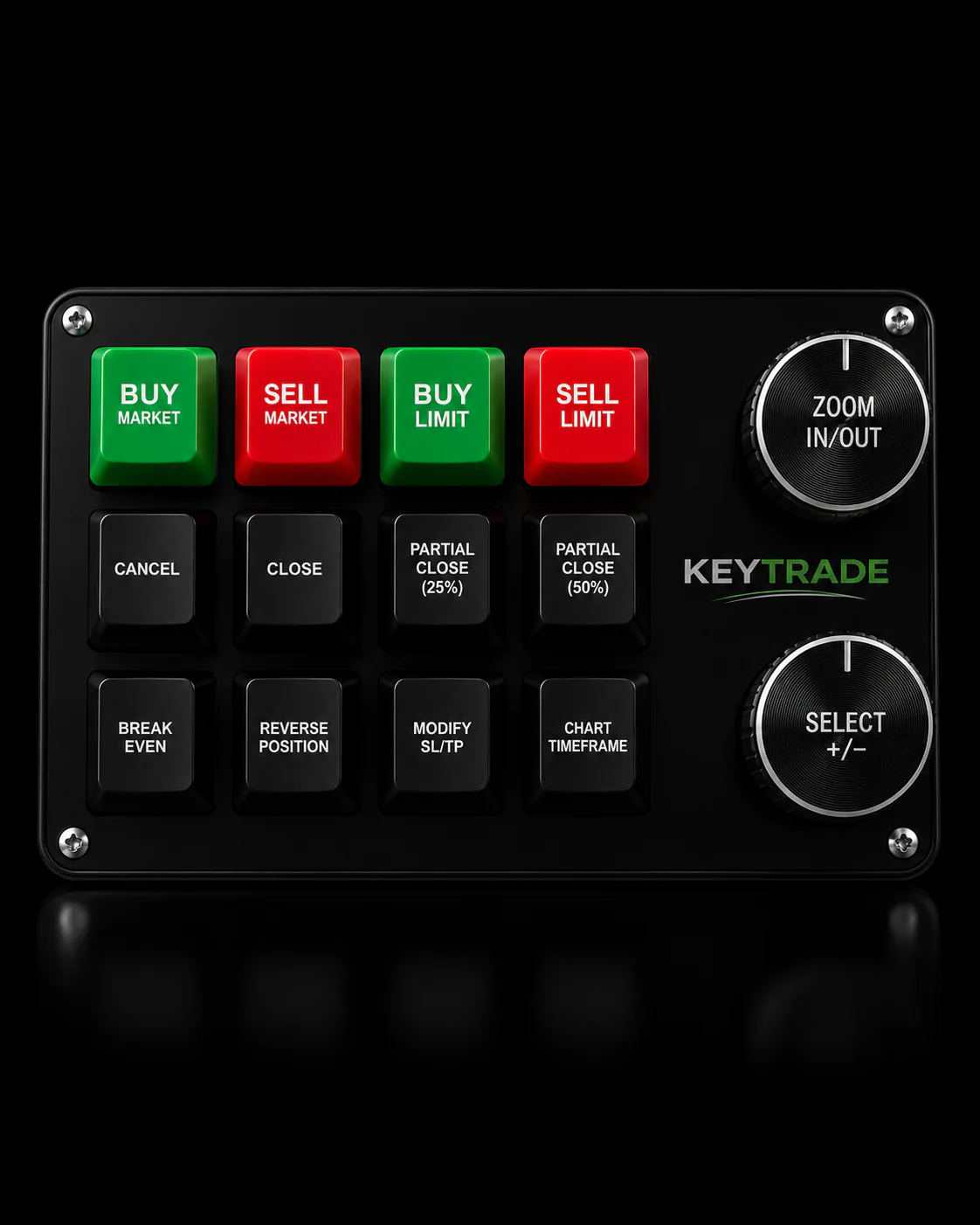
A breakeven rule is only as fast as the hand executing it. Key-trade builds programmable trading keypads specifically so a trader can map Breakeven ATM Strategy or Breakeven Position to a single physical button instead of hunting through a right-click menu during a fast tape.
- One button press instead of three or four mouse actions to move a stop to breakeven mid-trade.
- Separate physical keys for ATM-specific versus position-wide breakeven, cutting the risk of hitting the wrong scope under pressure.
- Consistent latency across TradingView, MetaTrader, and NinjaTrader, so the muscle memory carries over between platforms.
| Signal | Detail |
|---|---|
| Hardware mapping | Physical buttons assign directly to NinjaTrader’s Breakeven ATM Strategy and Breakeven Position hotkeys. |
| Execution consistency | Same keypad layout works across multiple supported platforms, reducing retraining time. |
What Actually Matters in a Breakeven Workflow
Most articles on this topic treat Auto Breakeven as a settings screen: fill in Profit Trigger, fill in Plus, done. That undersells how much the trigger distance itself decides whether the feature helps or hurts you. A fixed 5-tick trigger applied blindly across a quiet Tuesday morning and a Fed announcement afternoon isn’t the same rule at all. It’s two different risk exposures wearing the same number.
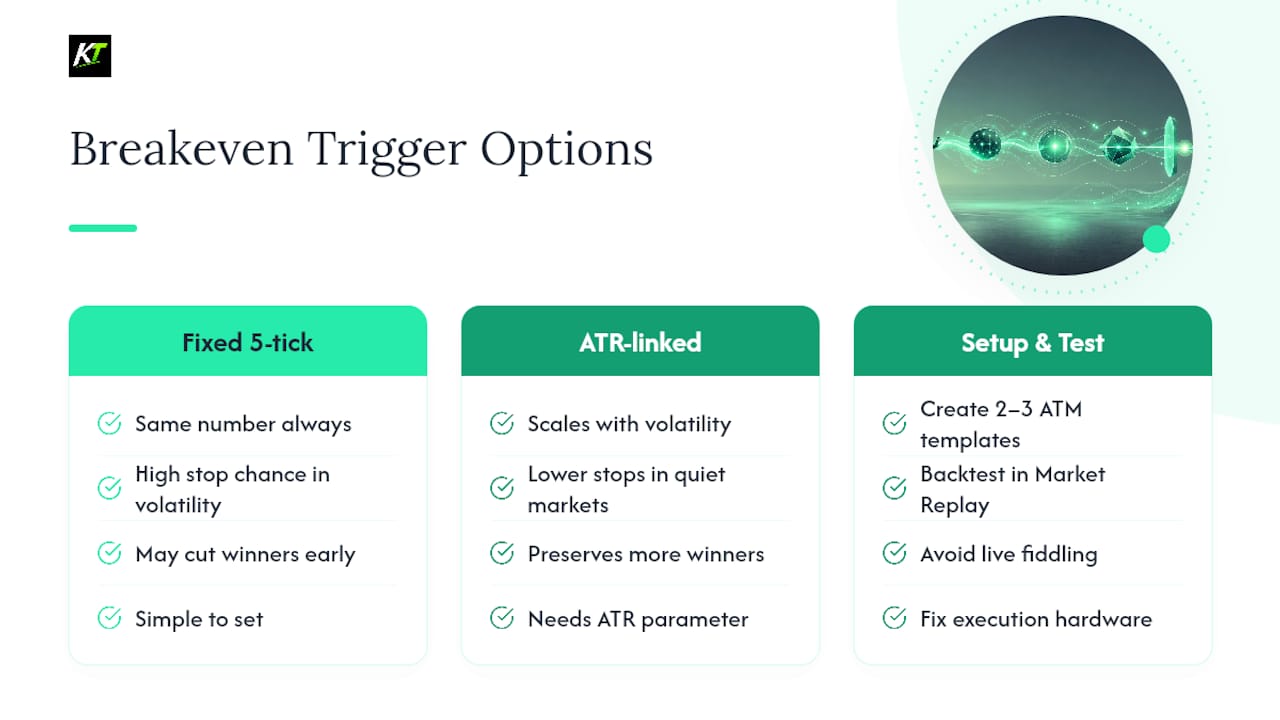
The conventional advice to “always move to breakeven once you’re in profit” is where most traders leak money without noticing. Getting stopped at breakeven on a trade that would have hit your full target costs you the same as a full loser in opportunity terms, it just doesn’t feel that way because your account balance didn’t drop. Tying your trigger to ATR, even loosely, fixes more of this than any amount of fiddling with Plus values ever will.
If there’s one place to spend your setup time, it’s building two or three ATM templates for your core instruments and testing them in Market Replay before risking a dollar, rather than adjusting Profit Trigger live during a trade. And if execution speed is your bottleneck once the logic is sound, that’s a hardware problem, not a settings problem.
— key-trade
Speed Up Your Breakeven Execution With a Programmable Keypad
Reading through an ATM Stop Strategy menu or right-clicking a working order takes seconds you don’t always have when a fast move is testing your trigger. Key-trade’s programmable keypads put your entire breakeven workflow, including Breakeven ATM Strategy and Breakeven Position, on dedicated physical buttons that fire the instant you press them.

Every button on the keypad maps directly to NinjaTrader’s own hotkey system, so there’s no new command language to learn, just a faster way to trigger the one you already use. The same layout carries over if you also trade on TradingView, MetaTrader, or Tradovate, which matters if you run more than one platform during the week. Check current keypad configurations and compatible platforms on the Key-trade product page and see which layout fits your instrument mix.
Sources
FAQ
When should I move my stop loss to breakeven?
Move it once open profit exceeds roughly 1.5 to 2 times the instrument’s current ATR in ticks, not the moment you see any green. Moving too early on a fixed small trigger tends to get clipped by normal price noise.
How do I automate a trailing stop loss in NinjaTrader?
Pair Auto Breakeven with Auto Trail in your ATM Stop Strategy settings so the stop keeps stepping up behind price after the initial trigger fires, rather than freezing at the breakeven level.
What is the best automated strategy setup in NinjaTrader for risk control?
There’s no single “best” setup since it depends on the instrument, but an ATM Strategy combining Auto Breakeven with a properly sized Profit Trigger and Plus, saved as a reusable template, covers most active trading styles reliably.
How do I set a stop loss in NinjaTrader?
Set it inside your ATM Stop Strategy as a fixed tick distance or dollar amount when placing your entry order, or attach a Stop Market order manually and adjust it later using the right-click menu or a breakeven hotkey.
What’s the difference between Breakeven ATM Strategy and Breakeven Position hotkeys?
Breakeven ATM Strategy moves the stop for one specific bracket order, while Breakeven Position applies breakeven across all working stops tied to your current position in that instrument.