

Speed Execution for Active Traders: Keypad vs Keyboard for 5–7 Hotkeys
Scalpers and day traders who live and die by milliseconds should build their setup around a mechanical keyboard with dedicated macros, since raw speed and repeatable keystrokes matter more than visual flair. Discretionary and multi-position traders benefit more from adding a macro keypad, because color-coded buttons cut the mental load of tracking several open trades. Swing traders can usually get by with a solid keyboard alone. The two devices solve different problems, and most serious desks eventually end up running both.
TL;DR:
- Traders managing multiple positions benefit from macro keypads with color-coded buttons to reduce decision time during volatile market conditions.
- Mechanical switches, especially linear types, are essential for fast, consistent key presses, while onboard memory and wired connections improve macro reliability.
- A full-size keyboard with a numpad remains preferable for manual lot size and price adjustments, avoiding reliance on layered shortcuts.
- Testing macros in a demo environment before live trading minimizes errors caused by misconfigured hotkeys or faulty mappings.
- Purpose-built trading hardware like Key-Trade’s professional keyboard offers plug-and-play setup, onboard profiles, and platform compatibility to streamline order execution.
Table of Contents
- Trading Keypad vs Keyboard: The Functional Difference
- What Hardware Specs Actually Matter for Execution?
- How Should You Set Up Your Desk to Avoid Costly Mistakes?
- How Do You Integrate a Keypad or Keyboard With Your Trading Platform?
- Where Purpose-Built Trading Hardware Fits
- Which Device Fits Your Trading Style?
- The Key-Trade Professional Trading Keyboard: Where to Start
- Sources
- FAQ
Trading Keypad vs Keyboard: The Functional Difference
A macro pad, whether it’s a dedicated trading keypad or a general-purpose device like a Stream Deck, is built around single-key sequences. Press one button, fire off a pre-built chain of actions: buy 2 lots, set stop loss, set take profit, done. A trading keyboard, by contrast, gives you the full flexibility of a standard layout plus programmable keys, so you can type exact lot sizes, adjust price levels on the fly, and still hit macros when you need them.
The trade-off comes down to depth versus breadth. A keypad excels at a small number of high-value, repeatable actions. A keyboard covers far more ground, including manual numeric entry that a keypad simply can’t replicate without added layers or software.
- Macro pads win on repeatability. One press, one guaranteed outcome, every time, with zero risk of fat-fingering a number.
- Keyboards win on flexibility. Full numpad access lets you adjust lot size or price mid-trade without reprogramming anything.
- Visual feedback differs sharply. Color-coded or icon-labeled buttons on a macro pad give traders instant state confirmation, while a keyboard relies on printed labels you have to memorize.
- Accidental triggers happen differently on each. A keyboard risks adjacent-key slips during fast typing; a keypad risks a misremembered layout if buttons aren’t clearly marked or color-grouped.
Traders who manage several open positions across multiple symbols tend to favor the keypad’s visual system, because it reduces decision friction exactly when things get volatile. Traders who scale in and out with custom lot sizes lean on the keyboard’s number row and numpad instead.
What Hardware Specs Actually Matter for Execution?
Switch type is the detail most traders skip and shouldn’t. Mechanical switches have a defined actuation point and consistent force curve, which membrane keyboards can’t match after months of daily use. Membrane keys mush together over time, and that inconsistency is exactly what you don’t want when a half-second delay costs you a fill price.
Pro Tip: If you’re trading more than a couple of hours a day, treat switch type the way you’d treat your internet connection. It’s invisible until it fails you at the worst moment.
- Linear switches are generally the right call for trading. They move straight down with no tactile bump, which lowers the chance of a key “catching” mid-press during rapid cancel/flatten/re-enter sequences.
- Clicky switches are a poor fit for active desks. The audible click and extra resistance slow down repetitive presses and add noise that becomes distracting during long sessions.
- Onboard memory beats software-only macros. A profile stored directly on the device survives reboots and OS updates; a macro that lives only in a background app doesn’t.
- Wired beats wireless for this use case. A wired USB connection avoids the polling-rate variability and battery-dependent latency that wireless devices introduce.
- A full numpad still matters. Full-size keyboards with dedicated number keys remain the standard recommendation for traders who type exact quantities rather than relying on layered shortcuts, since compact layouts force you to hold a function key just to enter a lot of size.
For workstations running multiple hours a day, mechanical builds are the safer long-term choice simply because membrane keyboards degrade in ways that affect precision, not just feel.
How Should You Set Up Your Desk to Avoid Costly Mistakes?
Hardware only helps if the desk around it doesn’t work against you. Keep your keyboard and mouse close enough that your wrists stay neutral. Reaching or twisting to hit a hotkey adds exactly the kind of delay you bought the hardware to eliminate.
- Map one action per button. A macro that closes a position and adjusts a stop in the same press is one macro away from a disaster if either step behaves unexpectedly.
- Build in redundancy for flatten and cancel. Keep those two actions available on at least two inputs, such as a mouse side button and a color-coded keypad key, so a single hardware hiccup never leaves you stuck in a trade.
- Cap your critical hotkeys. Somewhere around five to seven high-stakes actions is manageable under stress; beyond that, traders start second-guessing which button does what.
- Reserve visual buttons for state, not just action. A macro pad’s color coding is best used to show you what mode you’re in, not just to fire an order.
- Test everything in a demo account first. Map the macro, run it in demo, confirm the fill and the numbers, then flip it live.
Over-programmed macros are the most common beginner mistake, and simple, single-purpose mapping is far more reliable than clever multistep chains.
How Do You Integrate a Keypad or Keyboard With Your Trading Platform?
Most major platforms, including TradingView, MT4/5, cTrader, NinjaTrader, SierraChart, Thinkorswim, and Tradovate, accept keyboard shortcuts and many support macro-triggered hotkeys directly. Some browser-based platforms behave inconsistently with macros depending on window focus, so it’s worth confirming hotkey behavior directly in your browser before trusting it live.
- Favor hardware-stored profiles when reliability is the priority. They don’t depend on a background app staying open or updated.
- Use software macros as a fallback, not a primary system, when a platform doesn’t support onboard profiles natively.
- Run a four-step validation before going live: map the action, test it in demo, confirm numeric entry lands correctly, then stress-test flatten and cancel under simulated pressure.
Skipping that last step is how traders discover a mapping error mid-session instead of in demo, where it costs nothing.
Where Purpose-Built Trading Hardware Fits
A device built specifically for trading, rather than repurposed gaming hardware, tends to close the gap between the keyboard and keypad debate rather than forcing a choice. The hardware line is designed around compatibility with major trading platforms, featuring plug-and-play setup that doesn’t require coding knowledge.
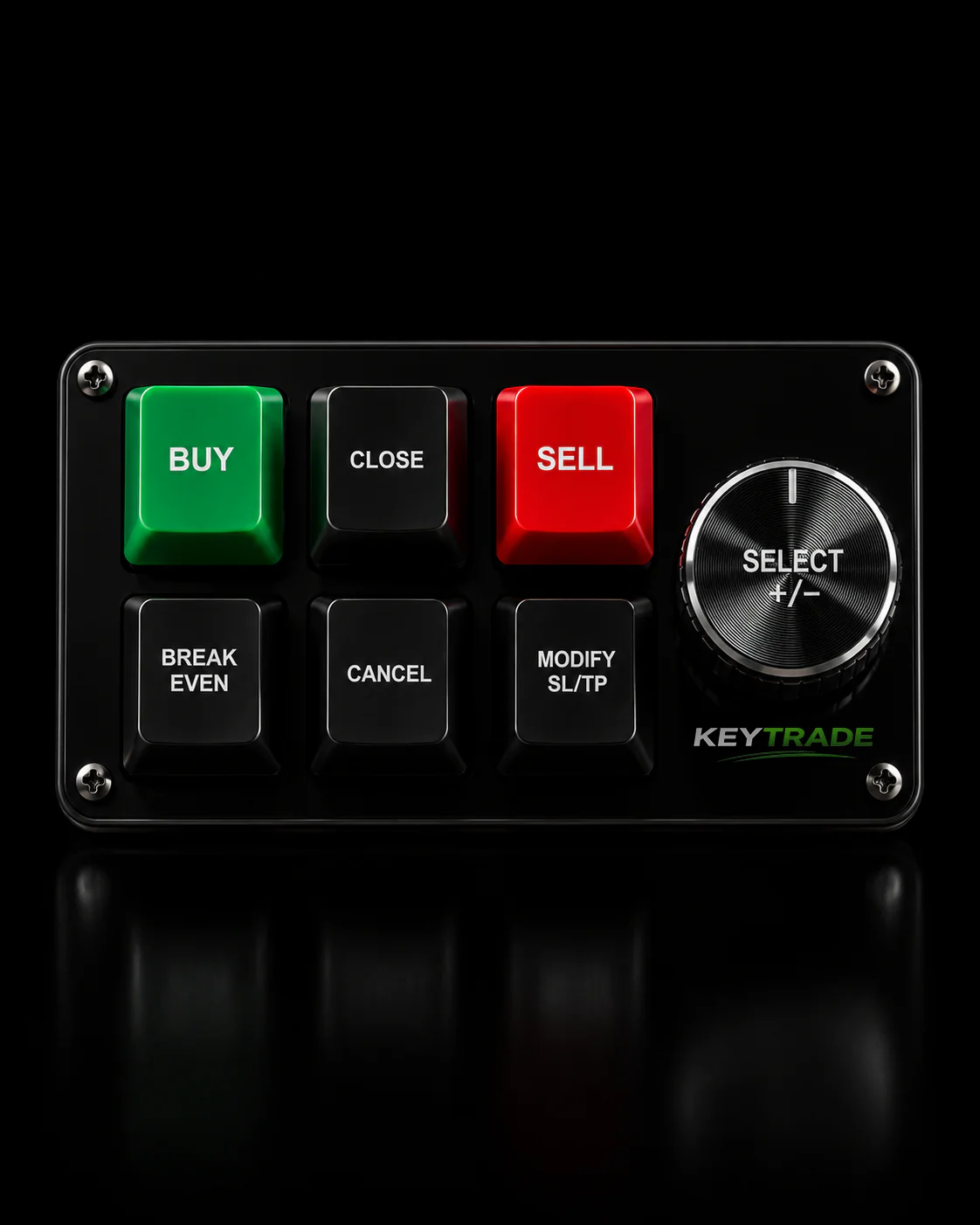
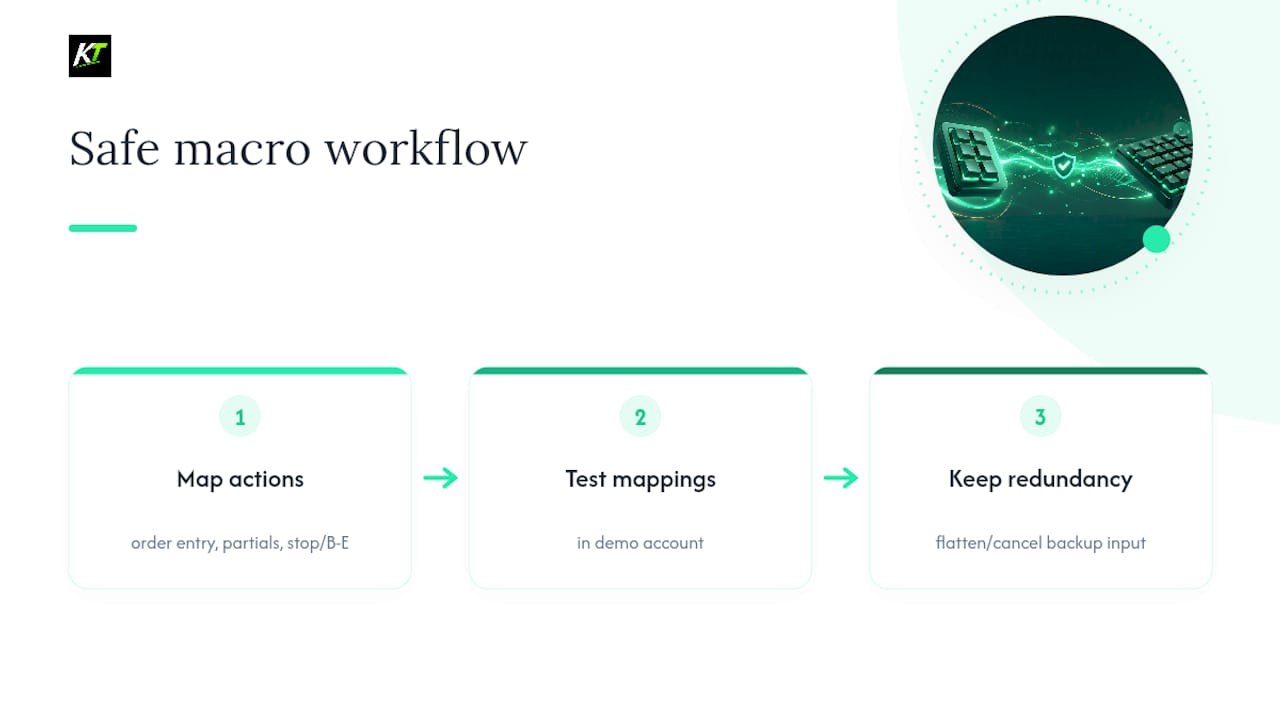
In practice, that covers the actions traders actually repeat all day: rapid order entry, partial closures, and break-even or stop adjustments without digging through a platform’s menus. The same caution applies here as with any macro-driven setup: test new mappings in a demo account first, and always keep a redundant flatten or cancel method available in case one input fails you mid-trade.
Which Device Fits Your Trading Style?
Scalpers should build around a mechanical keyboard with linear switches and a small set of tested macros. Intraday traders juggling several tickets benefit from adding a keypad for visual state tracking. Discretionary traders who react to news and price action lean hardest on the keypad’s color-coded confirmation. Swing traders, trading less frequently, often need nothing beyond a reliable keyboard. Combine both once your position count or macro complexity outgrows a single device.
— key-trade
The Key-Trade Professional Trading Keyboard: Where to Start
If the last few sections convinced you that switch type, onboard memory, and platform compatibility aren’t small details, the Key-Trade Professional Trading Keyboard was built around exactly those priorities.

It stores macro profiles onboard rather than relying solely on background software, connects over a wired USB link for consistent response, and works across major trading platforms without requiring any coding on your part. Before committing, check that your specific platform setup is supported, run your intended macros in a demo account, and reach out to support if you need help mapping flatten, cancel, or partial-close sequences correctly. Traders who want ergonomics and mapping guidance beyond the hardware itself can dig into the professional trading keyboard blog for setup tips. If you’re ready to see the lineup, the full collection starts at $59 and ships worldwide.
Sources
- Mechanical vs membrane keyboard — Lenovo glossary
- Keyboard, mouse, and peripherals for trading workstations — NexusFi Academy
- Best linear keyboard switches — RTINGS
- Why you need a macro pad — Tom’s Hardware
FAQ
What Is the Difference Between a Keypad and a Keyboard?
A keyboard offers full alphanumeric input plus programmable keys, letting you type exact values like lot size or price. A keypad, or macro pad, is a smaller device dedicated to firing pre-built action sequences from a single press, often with color-coded or icon-labeled buttons for quick visual confirmation.
What Keyboard Do Stock Traders Use?
Most active traders use a mechanical keyboard with a full numpad and linear switches, since linear switches reduce the chance of catching a key mid-press during fast sequences. Many pair that keyboard with a programmable device like the Key-Trade Professional Trading Keyboard for platform-specific macros.
What Is the Best Hotkey Pad for Day Trading?
The best hotkey pad for day trading is one with onboard memory, wired connectivity, and clear color-coded state feedback, since that combination reduces decision friction during volatile moves. Look for one that stores profiles directly on the device rather than depending entirely on background software.
What Are Three Types of Keyboards?
The three common switch categories are membrane, mechanical, and hybrid designs, with mechanical further split into linear, tactile, and clicky switches. For trading specifically, linear mechanical switches are usually the preferred choice because they minimize interference during rapid, repetitive keypresses.